Midjourney/Every illustration.

Vibe Check: OpenAI’s New AI Browser, Atlas

It feels less like learning something new than a browser that has caught up to how we already want to work with AI

28 3

Was this newsletter forwarded to you? Sign up to get it in your inbox.


Surprise! OpenAI built a browser.

It’s called Atlas. It joins Perplexity’s Comet and The Browser Company’s Dia as the latest entrant in the AI browser wars. Funnily enough, Dia was acquired in a $610 million transaction that closed yesterday by the aptly named Atlassian. So now we have Atlas versus Atlassian: the titan who holds up the world versus his band of followers.

This is a move that has been long-rumored and was inevitable: There’s tremendous power in owning the browser layer. And it puts Google on notice. For two decades, Chrome plus Google Search has been the gateway to the internet. But when your browser has ChatGPT built in—with memory, agents, and task execution—why start with search? In December 2022, I wrote that browsers sit between the user and the internet, and they can see the entire process of work from start to finish—so they’re a natural place for AI to exist.

Now that the technology has caught up to its potential the question is: Who will win? Here’s your day zero hands-on Vibe Check.

What it is

OpenAI bills Atlas as a browser built around ChatGPT rather than bolted onto it. The pitch is integration at every level: a sidebar that surfaces ChatGPT on any webpage, inline writing assistance that activates in any text field across the web, and agents that can execute multi-step tasks autonomously inside your browser.

The OpenAI team told us that they’re focusing on everyday use cases for a broad range of consumers with this release, so it’s worth pointing out that Katie Parrott, our resident normie who speaks for the non-coders, got her hands on Atlas and had it shopping for Bibles within five minutes of downloading. It looks enough like a browser you’re familiar with—a search bar plus tabs for various content types, including images, videos, and news—that you won’t get lost, and it provides helpful suggestions for how to use it based on your ChatGPT usage patterns and history, so you can start executing tasks that feel relevant right away.
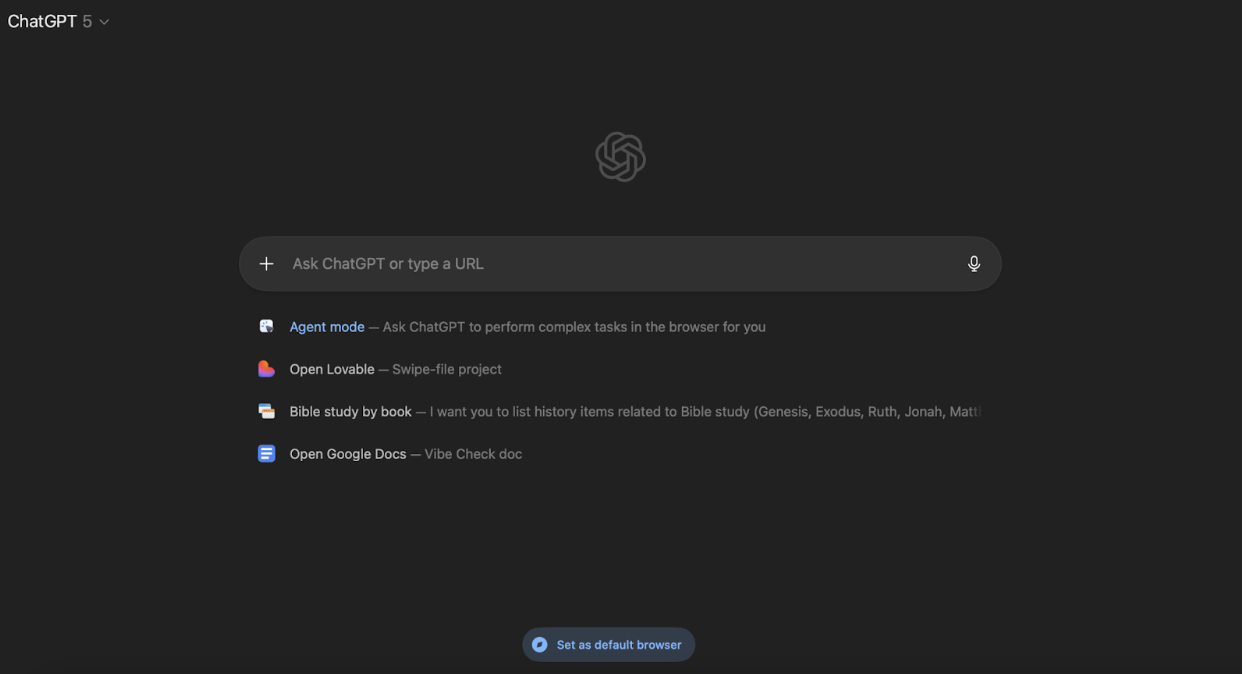
What you see when you pull up a fresh tab on Atlas. (All screenshots courtesy of Katie Parrott.)


Memory has been a core part of ChatGPT’s product positioning since early 2024, and Atlas extends that from chat to browsing. It’s supposed to track the sites you’ve visited and actions you’ve taken, and then surface suggestions based on that context. It’s the full-on “AI as personal assistant” vision: It remembers who you are and what you do, and it can accomplish work on your behalf.

Atlas launches today for everyone—Plus, Pro, and Free tier users. Rollout starts with MacOS, with Windows and mobile to follow.

Uploaded image

Build a project in a single day

AI can feel abstract until you build something real—and tools “made for programmers” can stop you before you start. Spend one day with Every’s Dan Shipper to get acquainted with the best tools on the market, assign your AI agents real tasks, and ship something live. Claude Code for Beginners runs Nov. 19, live on Zoom. You’ll leave with a project, a reusable workflow, and a head start on building the agentic apps that will populate the future.

What we think

This was a high-profile cloak-and-dagger launch, so we didn’t have a ton of time to test Atlas in a comprehensive way. [Also, I (Dan) was on a plane when we got the early access email and couldn’t get it working on the plane WiFi.] We’ll have a more in-depth Vibe Check soon, but here’s what we can tell so far.

This is positioned as a tool for the general user. It’s going after Dia, Chrome, Edge, and Firefox. This differentiates it from Comet by Perplexity, which feels like it’s built much more for power users.
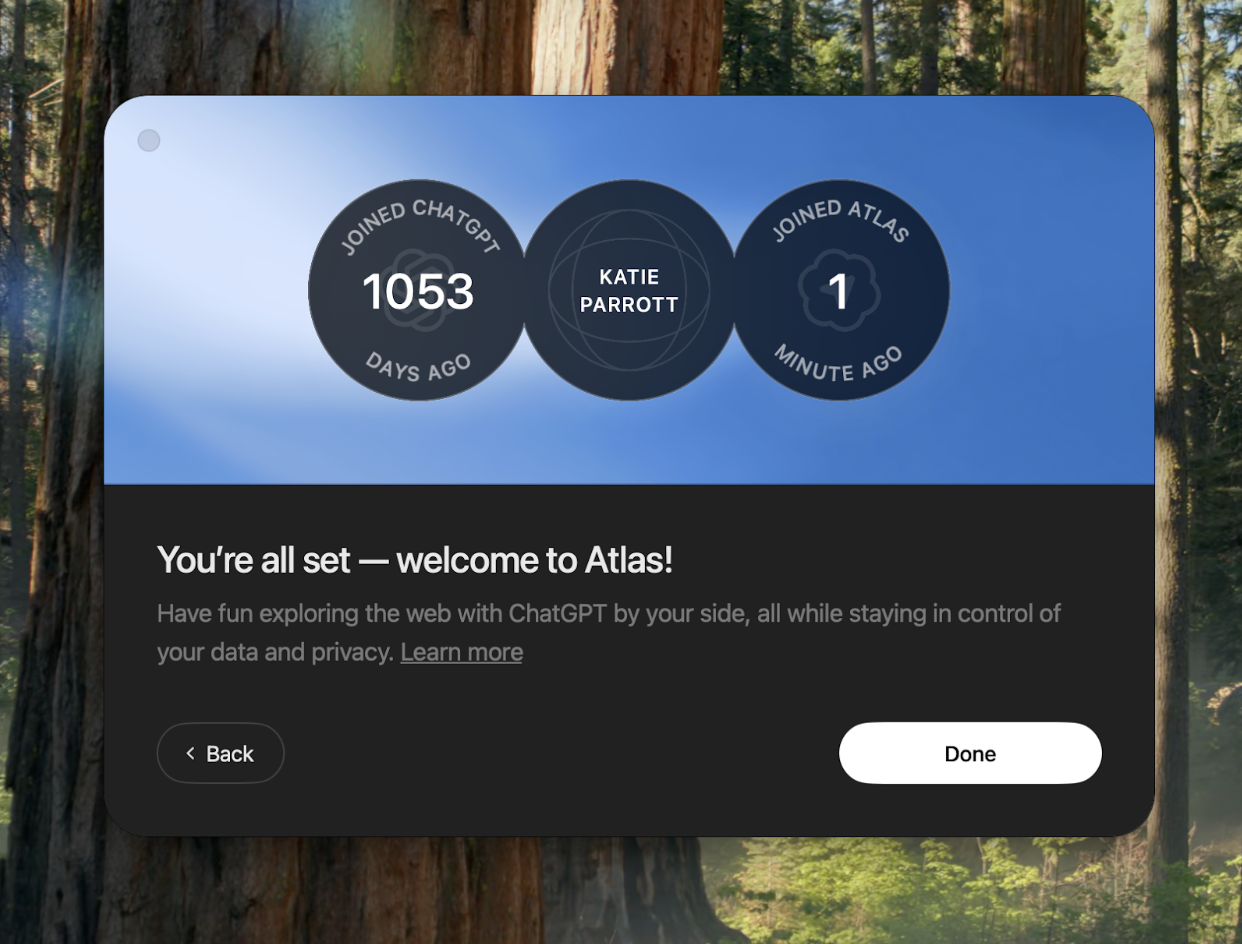
Katie got Atlas set up and ready to use in three minutes.


The closest analog for Atlas seems to be Dia. They’re both Chromium browsers—built on the same browser engine that powers Chrome—to be lightweight and fast, with AI as a sidebar on the right side.

Once you have a website pulled up in Atlas, the AI moves to the right side of the screen.


That said, Atlas has a few advantages out of the box. For one, the assistant in the sidebar is ChatGPT—so you get all of your memories and context, and the benefit of OpenAI’s latest models as soon as they’re released. In Dia, the assistant is a custom built-solution from The Browser Company that may or may not have the latest model at any given time.

Second, Atlas can already perform actions on your behalf as an agent. This is something The Browser Company has promised with Dia but hasn’t yet been launched. OpenAI demo’d using Atlas to book movie tickets agentically—another example of a consumer use case. (Humans are funny—we were given an autonomous alien superintelligence and we used it to book tickets.)

Agent mode includes suggestions of specific tasks Katie might want help with based on her ChatGPT history.


Anyway, this is an immediate must-try product.

Putting it through its paces

And try it we did. Time was limited, but we tested Atlas across a range of everyday browser tasks to see how the experience held up against other browsers and the standard ChatGPT interface.

Searching. For your regular browsing needs, Atlas behaves like a cross between Google and the experience you may have had inside ChatGPT. The homepage looks like a ChatGPT conversation and will populate like one, and it includes tabs across the top titled Links, Images, Videos, and News that you can navigate through and browse the way you would on Google.

Main view versus Links view for a search for relevant news about the Parrott family’s favorite sports teams.


Shopping. Humans love to shop, and help with that is a key part of Atlas’s promise. Katie sent Atlas's agents on a mission to find an upcoming premium Bible release and add the preorder to her shopping cart. The agent navigated autonomously between publisher sites and retailers, compared editions, identified the correct product variant, and successfully placed it in cart. The whole process took about three minutes, and the agent visually narrated what it was doing at each step via a stream of text in the chat window.

Crucially, Atlas won’t take the step of executing the purchase for you—it passes control back to you to click the buy button. This is an example of the kind of control OpenAI has put in place to prevent Atlas’s agent from going rogue.

Katie sent Atlas’s agents on an expedition to find an upcoming premium Bible and put the preorder in her shopping cart.


Scheduling. Katie has been unintentionally ghosting her college friend Brett for weeks. She asked Atlas to scan her calendar for available times this week and draft an apologetic (but not overly) email suggesting those meeting slots. Atlas pulled her availability and checked for conflicts. Then it generated the email directly in Katie’s Gmail. This is the kind of task that's annoying enough to procrastinate on but simple enough that you feel guilty asking a human for help—exactly where AI should live.

Katie asked Atlas to find times this week when she’s available to meet and draft an email including those times.


The Reach Test

Katie: I wanted to love Dia but found myself defaulting to Chrome out of familiarity and habit. So for me to try Atlas and within five minutes feel comfortable enough with the ergonomics of it to make it my default browser is a pretty big deal. Between how closely the basic shape resembles browsers I’m used to and the knowledge and capabilities it ports in from ChatGPT (of which I’ve been a power-user since 2022), Atlas feels less like learning something new than a browser that has caught up to how I already want to work with AI.

Final thoughts

If you’ve been an AI coding skeptic previously, today should force you to reconsider. Can anyone remember a time when companies the size of OpenAI were releasing new products with so much speed? OpenAI launched a new social media app Sora 2 less than a month ago—and now they’ve launched a new browser.

It’s truly a new era for the size and scale of what motivated teams using AI can accomplish.

And it solidifies the browser as a new and important surface for AI companies to have a presence on. If you own the browser, you can box out any other AI tool that you need to interact with via a website. It has the potential to change what it means to use the web entirely: Today, the AI part of Atlas is tacked on to the right-hand side. But you can imagine a future, not too far from now, where chatting with your AI assistant is the entire browsing experience.

That will be a brave new world indeed. More soon.


Disclosure: Dan was a small angel investor in The Browser Company.


Dan Shipper is the cofounder and CEO of Every, where he writes the Chain of Thought column and hosts the podcast AI & I. You can follow him on X at @danshipper and on LinkedIn, and Every on X at @every and on LinkedIn.

Katie Parrott is a staff writer and AI editorial lead at Every. You can read more of her work in her newsletter.

We build AI tools for readers like you. Write brilliantly with Spiral. Organize files automatically with Sparkle. Deliver yourself from email with Cora. Dictate effortlessly with Monologue.

We also do AI training, adoption, and innovation for companies. Work with us to bring AI into your organization.

Get paid for sharing Every with your friends. Join our referral program.

Was this newsletter forwarded to you? Sign up to get it in your inbox.

The Only Subscription
You Need to Stay at the
Edge of AI

The essential toolkit for those shaping the future

"This might be the best value you
can get from an AI subscription."

- Jay S.

Mail Every Content
AI&I Podcast AI&I Podcast

Monologue Monologue

Cora Cora

Sparkle Sparkle

Spiral Spiral

Join 100,000+ leaders, builders, and innovators

Community members

Already have an account? Sign in

What is included in a subscription?

Daily insights from AI pioneers + early access to powerful AI tools
Pencil Front-row access to the future of AI
Check In-depth reviews of new models on release day
Check Playbooks and guides for putting AI to work
Check Prompts and use cases for builders

Comments

You need to login before you can comment.
Don't have an account? Sign up!
Lorin Ricker about 2 months ago

"...available for Mac, and soon for Windows..." Arggg! What about the Linux community, a natural platform for all things AI? Plus, if this is a browser, ubiquitous availability across *all* platforms should be a goal/requirement. Atlas looks like a good thing -- hope they don't leave thousands of Linux users out in the cold!

Becky Jackson about 1 month ago

Great, rapid update on the Atlas!

One thing that stopped me from adopting it is that there are no extensions supported currently. Since I use a lot of them in Dia, that seems like a big deal. Perhaps it will be added soon.