


.png)


Was this newsletter forwarded to you? Sign up to get it in your inbox.
AI made us sloppy because it made us forget how to plan.
Planning used to be a non-negotiable part of the work: sketching screens, prototyping flows, and writing problem statements. You had to define the scope—what’s in, what’s out, what’s too ambitious, and what solves the problem. Good planning required good thinking, good writing, and collaboration between stakeholders. It was slow, but it prevented expensive mistakes.
When vibe coding emerged, planning went out the window—at first. Why spend an hour planning when you could spend five minutes building the feature? I did it, too. “Make this feature work” was my entire instruction. Sometimes it worked. Often it didn’t. When it didn’t, I’d spend three hours debugging an error that a 10-minute session—asking AI to create a clear outline of the problem and the research needed to build a solution—would have prevented. And I’d be starting from zero with each feature I shipped, instead of the AI improving with each request.
When you vibe code, you prompt, “Add email validation to the signup form,” and hope the AI takes the right route. When you plan with AI, you write: “Research how we handle validation elsewhere in the codebase, check if our email library has built-in validation, look up best practices for user-friendly error messages, then create a plan showing three approaches with tradeoffs.”
One approach ships a feature. The other ships a feature and teaches the system how you think for next time. Get this right, and the system learns from every plan. Let me show you how.
How people actually use AI
Most AI coverage is hype and headlines. Dropbox’s new podcast Working Smarter goes deeper. It features real professionals using AI to focus on what they love—like Chef Ian Ramirez, who uses AI to handle repetitive menu planning so he can spend more time cooking and getting creative in the kitchen.
Plans teach the system—code just solves problems
I had five screens of Figma designs staring at me, and a weekend to turn these pixels into a product.
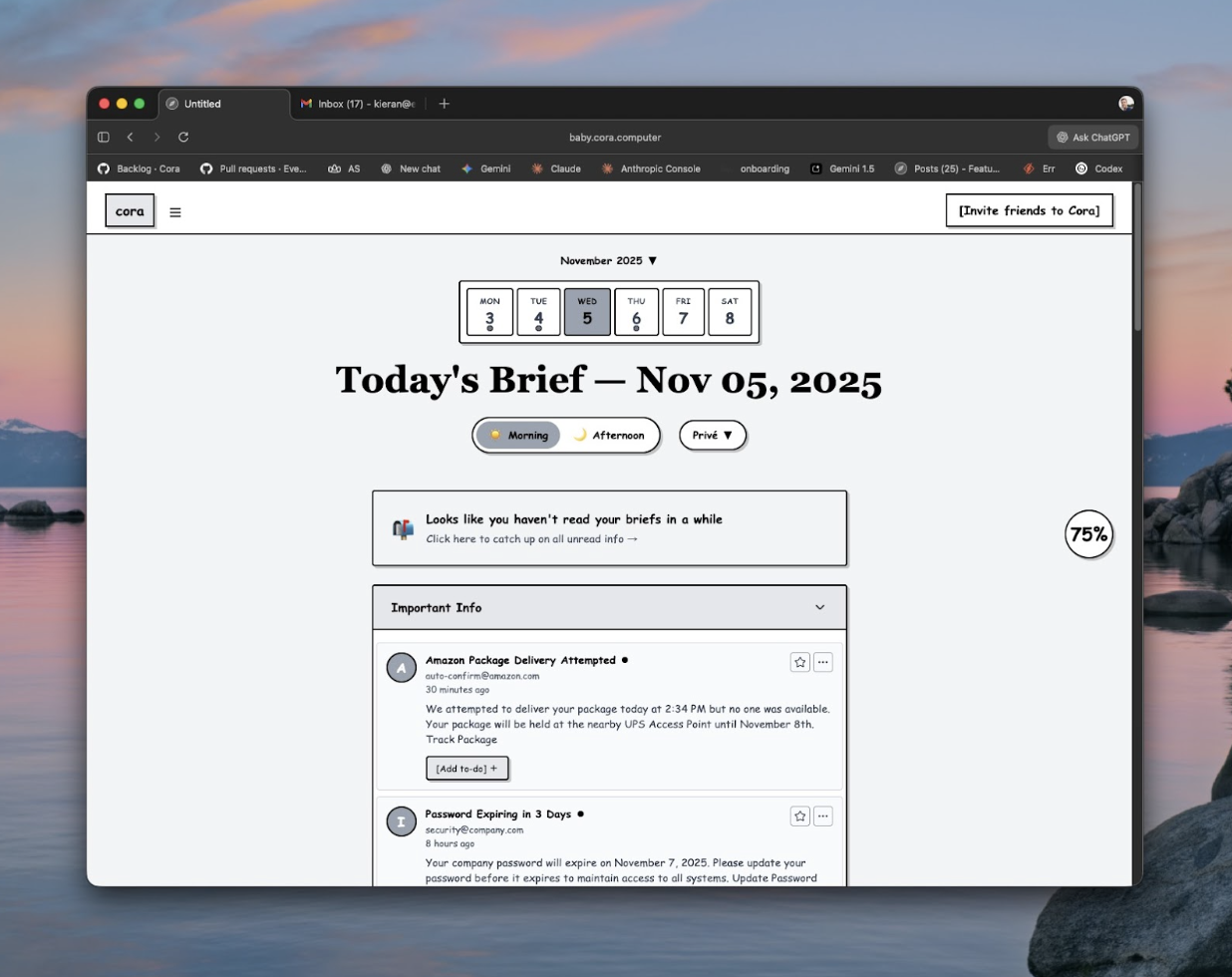
We were preparing for the launch of Cora's email bankruptcy feature—a free service that clears users’ inbox for them without deleting anything important. Lucas Crespo and Daniel Rodrigues, Every’s designers, had turned my ugly-but-functional flow into those beautiful Figma designs: something people would want to use, with clean layouts, thoughtful interactions, and the kind of polish that sets software that delights apart from software that works. Now I had to build it.
As recently as early 2025, that would have meant: Hook up the Figma MCP plugin (a tool that connects design files to code), watch it produce something vaguely related to the design but mostly ugly, then spend the weekend manually fixing it—squinting at measurements, guessing at spacing, writing HTML, refreshing the browser, noticing it’s wrong, adjusting, repeating. Days of work and frustration.
This time, instead of coding all weekend, I spent one hour that saved me days.
I created an AI agent with one job: Take a Figma design screenshot, analyze how to implement it, and output a detailed plan grounded in our patterns, components, and way of building.
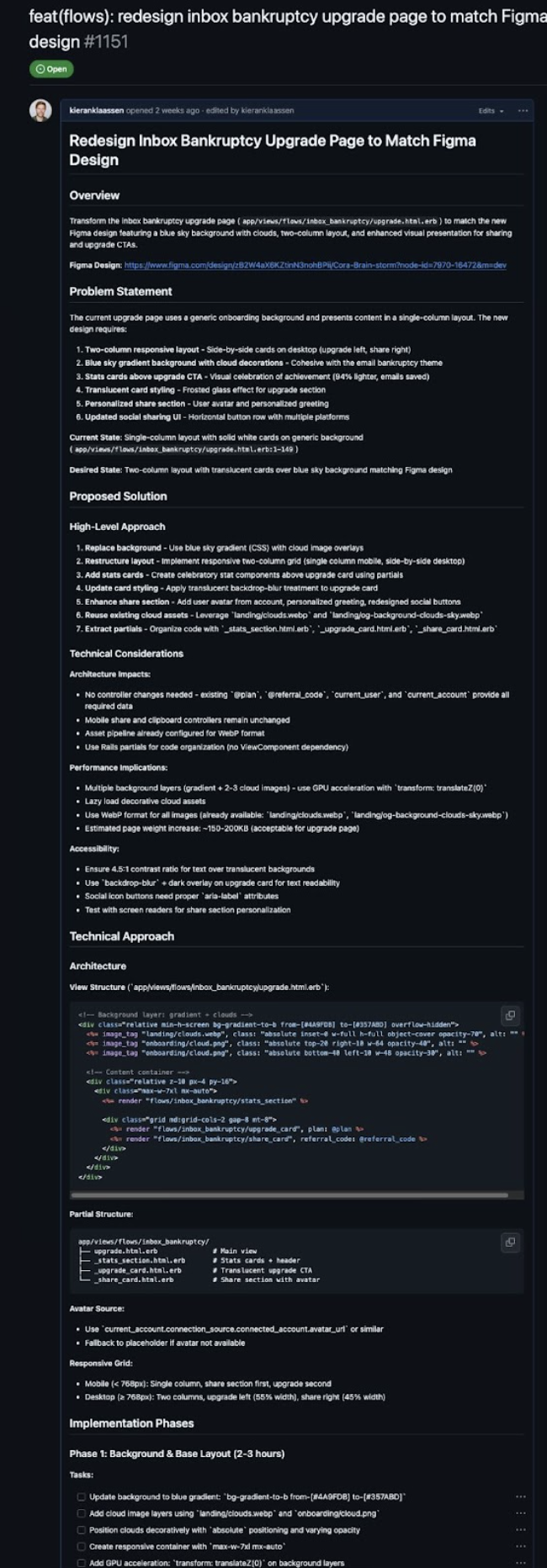
Once the plan was complete, I added a second agent to review the work: Compare the Figma screenshot to what got built using Puppeteer (a tool that automatically captures screenshots of web interfaces), note every difference, and keep iterating until they match. Because the plan was clear and detailed, the review agent could focus entirely on execution, instead of trying to figure out what we were even building.
I got five screens, pixel-perfect, including mobile layouts that were never even designed for. The plan guided the work step, and pixel perfection came out the other side.
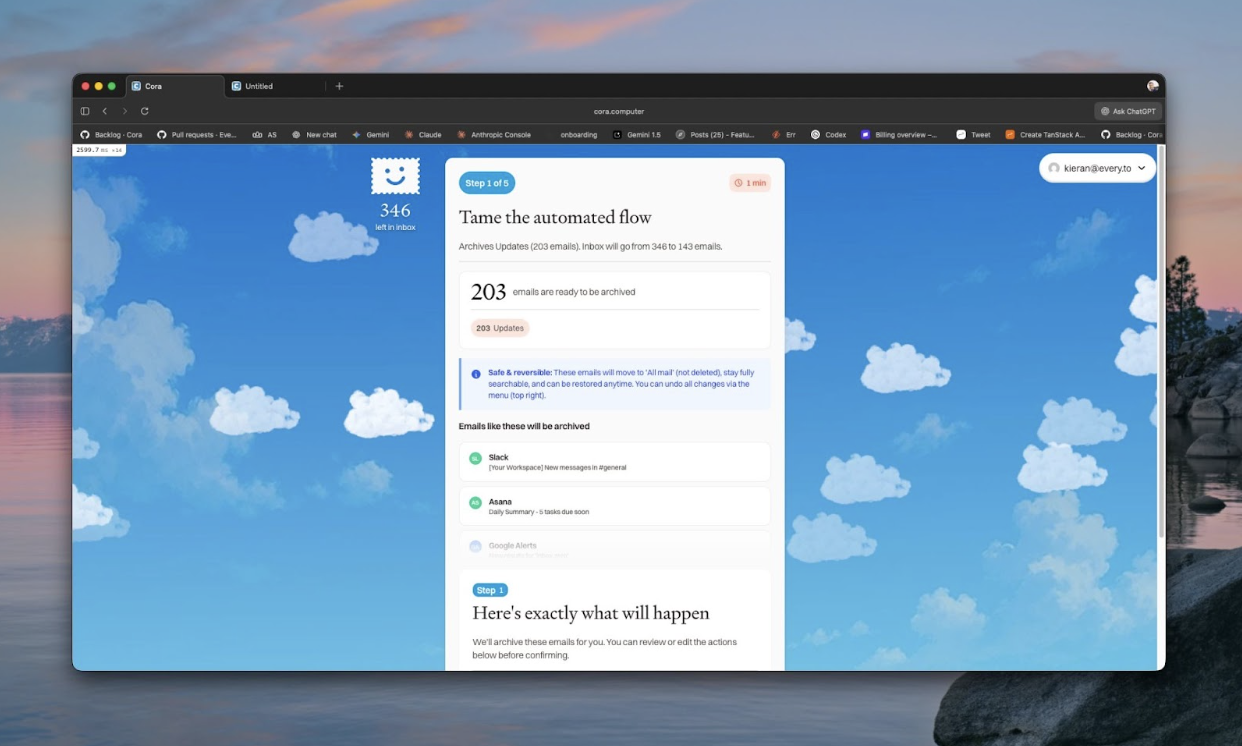
The next time we need to implement a complex interface, I won’t start from scratch. I’ll use the same system and the same planning workflow, and it will be faster because the system learned from this round.
This is compounding engineering: building systems where every unit of work makes the next one easier because you’re teaching the AI what to do. And the fastest way to teach is not through code you write, but through plans you review.
How to plan effectively: Remember the three fidelities
The first step to planning effectively is recognizing that not everything deserves the same investment. I think about engineering work in three categories—what I call fidelities—based on complexity and clarity.
Fidelity One: The quick fix
This is the one-line change, the copy update, the obvious bug fix. A button that’s the wrong color or a typo in an error message. Maybe a small bug where the fix is self-evident once you reproduce it.
As models improve, “quick fix” expands. With Claude Sonnet 4.5, Fidelity One work now includes: changing pricing across the entire codebase, normalizing emails automatically, reorganizing code to remove unused features, fixing tests that accidentally broke, updating libraries and migrating dependencies (switching to newer versions of pre-built code tools you’re using), or resolving comments in a pull request (a batch of proposed code changes) when the feedback is clear enough. Six months ago this was multi-hour work. Today, it’s 10 minutes with a well-constructed plan.

For these, planning is lightweight. Even a quick “reproduce the bug, confirm the fix location, check for similar instances” catches edge cases you’d otherwise miss.
Fidelity Two: The sweet spot
This is where compounding engineering and the power of planning shines. These are features that span multiple files, require some refactoring, and have clear scope but non-obvious implementation. Things like: moving something performed inline (happening immediately when requested) to a background job (processing that happens separately, without making users wait), adding a new tool call (a specific action the AI assistant can take) or capability to the assistant (like archiving emails by query), or researching and reproducing bugs where you’re not yet clear what the actual problem is.
For Fidelity Two work, planning yields massive return on investment. The problem is complex enough that AI might go off the rails without guidance, but simple enough that once you have a good plan, AI can execute it reliably. This is where I spend most of my planning energy, and where the system learns fastest.
Recently, we needed to add the ability for Cora’s AI assistant to archive emails by query, so users could prompt “archive all emails from newsletters” and it would work. I could have prompted Claude Code directly: “Add an archive by query tool call.”
Instead, I had it research first: “How do our existing tool calls work? What’s our pattern for handling bulk operations? Are there any performance considerations with archiving many emails at once?”
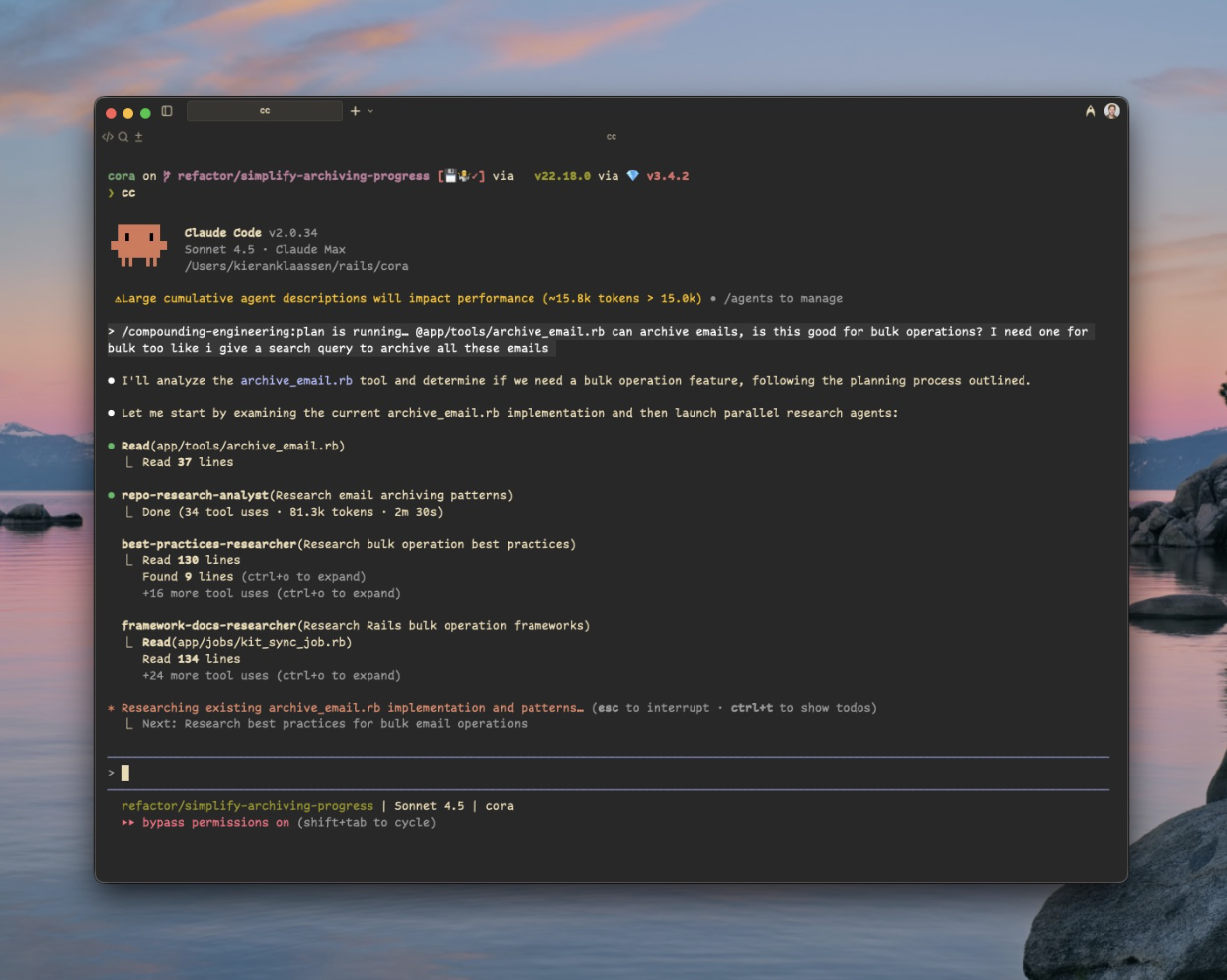
The research revealed we already had a tool that interprets search requests that could be reused, and that we needed restrictions on how many requests you can make, because Gmail’s API (the system that lets other software interact with Gmail) has strict quotas on bulk operations. Without that research phase, I would have built something that worked in testing but failed when users tried to archive thousands of emails, because there are so many real-world use cases I would not anticipate. Once the plan was clear, the implementation took minutes. The 20 minutes spent understanding the problem saved hours of debugging production failures.
Fidelity Three: The big uncertain
These are major features where you don’t even know what you’re building yet. Adding multi-account support. Rebuilding the high-level structure of how your code is organized. Integrating a complex third-party system. The requirements are epic, the scope is fuzzy, and no amount of planning will give you certainty because you’re still figuring out what “done” looks like.
For Fidelity Three, planning alone isn’t enough. You need a hybrid approach: rapid prototyping to clarify what you want, and rigorous planning to build it properly. I call this vibe planning—vibe coding, but for disposable software that helps you think. Spin up quick prototypes in a separate environment, click through them, learn what breaks, throw them away, and plan the real implementation based on what you learned. The prototype is disposable; the knowledge isn’t.
Sometimes you start with what looks like a Fidelity Two problem and realize mid-planning that it’s Fidelity Three. The email bankruptcy flow felt straightforward at first—add bulk operations so users could process, say, 53,000 emails at once. During the research phase, I discovered we couldn’t just call Gmail’s API in real time because of rate limiting and time constraints. We needed a cached version (storing data temporarily so we don’t have to fetch it repeatedly), highly optimized, with API rate limits carefully managed, and a way to handle failures gracefully when operations take minutes instead of seconds. The scope ballooned. I thought it would be a simple case of “add a feature.” It turned into ”redesign how we handle bulk operations entirely.”
Once I realized this was way bigger than expected, I switched approaches. I stopped trying to plan the perfect solution and instead built three prototypes with ascending levels of difficulty: one with real-time API calls, one with a simple cache layer (temporary storage for frequently used data), one with a full queue system (a line of tasks that get processed one at a time).
I didn’t want to add complexity. I went in hoping the first, most simple solution would work. Each prototype took a few days to build, and within a week it was clear what we had to build into the product. The real-time version choked on 1,000 emails. The simple cache had race conditions (bugs that happen when multiple processes try to access the same data simultaneously). The queue system was the only thing that worked. The prototypes convinced me that the complexity wasn’t optional—the simple solutions would break.
Those prototypes gave me enough clarity to break the problem down: Build the cache layer first, then add the queue system, then optimize the API calls. Each piece of the plan now had a specific job and clear success criteria. Instead of building one big feature, we broke it into separate, manageable parts: the caching layer, the marketing design, and the agentic flow. These were three distinct pieces that initially seemed like one monolithic feature. Trying to build everything at once created plans that were too big to execute. Breaking them into sequential steps made each piece shippable.
The goal with Fidelity Three is to break the project into multiple Fidelity Two pieces. You can’t plan your way through genuine uncertainty. But at least you can prototype your way to clarity, then plan your way to quality from there.
How planning creates lasting knowledge
There is a difference between teaching AI through code versus teaching through planning. Coding teaches, “Here’s how to solve this problem.” Planning teaches, “Here’s how to think about problems like this.”
When Claude Code writes code based on your feedback, it learns the specific solution to one specific problem. The system creates plans, you react—“This is too complex” or “We need to sequence this differently”—and that feedback becomes permanent knowledge. Future plans automatically incorporate your preferences. AI learns your architectural thinking and applies it to every new problem.
For example, when I first had the Figma agent implement designs, it used plain HTML, which I didn’t want for a reusable design system. I corrected it: “Use View Components instead—that’s our component framework.” I codified that preference into the agent’s instructions. Now every design implementation starts with View Components by default.
In week one of working this way, plans would come back with approaches I’d never take—over-engineered solutions, missing obvious existing patterns, forgetting security checks. Three months in, plans come back largely reflecting how I’d approach the problem myself not because I’m prompting better, but because the system has learned from more than 50 plan reviews how I think.
Better AI models make the system better. GPT-5 or Claude Sonnet 4.5 or whatever comes next will make better plans automatically.
But your specific system gets better because you’re accumulating institutional knowledge. Your agents know your preferences. Your research strategies know your domain. Your review process catches your common blind spots.
Planning is the highest-leverage activity in AI-assisted development. One hour spent improving your planning system makes every future hour more productive.
In the next piece, published tomorrow, I’ll share eight strategies that you can use for more effective planning, plus an experiment that you can use to become a better planner.
Thanks to Katie Parrott for editorial support.
Kieran Klaassen is the general manager of Cora, Every’s email product. Follow him on X at @kieranklaassen or on LinkedIn.
To read more essays like this, subscribe to Every, and follow us on X at @every and on LinkedIn.
We build AI tools for readers like you. Write brilliantly with Spiral. Organize files automatically with Sparkle. Deliver yourself from email with Cora. Dictate effortlessly with Monologue.
We also do AI training, adoption, and innovation for companies. Work with us to bring AI into your organization.
Get paid for sharing Every with your friends. Join our referral program.
For sponsorship opportunities, reach out to sponsorships@every.to.
The Only Subscription
You Need to
Stay at the
Edge of AI
The essential toolkit for those shaping the future

"This might be the best value you
can get from an AI subscription."
- Jay S.
 Every Content
 AI&I Podcast
 Monologue
 Cora
Cora
 Sparkle
 Spiral
Join 100,000+ leaders, builders, and innovators

Email address

Already have an account? Sign in
What is included in a subscription?
Daily insights from AI pioneers + early access to powerful AI tools

 Front-row access to the future of AI
 In-depth reviews of new models on release day
Playbooks and guides for putting AI to work
Prompts and use cases for builders
In-depth reviews of new models on release day
Playbooks and guides for putting AI to work
Prompts and use cases for builders
In-depth reviews of new models on release day
Playbooks and guides for putting AI to work
Prompts and use cases for builders
In-depth reviews of new models on release day
Playbooks and guides for putting AI to work
Prompts and use cases for builders
 Bundle of AI software



.12.16_PM.png)
 Rhea Purohit

 Yash Poojary
 Edmar Ferreira
 Reviews of new AI models on release day
Comments
Don't have an account? Sign up!
Thank you for this great content. How can I reach to the 8 strategies for effective planning text, couldn't find it.
@fcesitler I think it is here in the next article (https://every.to/source-code/teach-your-ai-to-think-like-a-senior-engineer). I haven't read it but I looking forward of to follow from this good introduction.
Wow, a great article. The line that really resonated with me was "Coding teaches, “Here’s how to solve this problem.” Planning teaches, “Here’s how to think about problems like this.”
Do you have a good guide, to something that, showcase how to actually do this. I was hoping for something like a good, guide/walkthrough for how to vide-code and use the planning concept.