



 May 1, 2024


The transcript of How Do You Use ChatGPT? with Nick Dobos is below for paying subscribers.
Timestamps
- Introduction: 00:00:31
- How Nick built Grimoire, the top-ranked GPT for programming: 00:05:20
- Ship a website with two words and a single click: 00:10:25
- How Grimoire is solving the “blank canvas problem” in AI creation: 00:14:57
- The coding curriculum that can take you from zero to full programmer: 00:16:30
- Why Grimoire has an edge over ordinary ChatGPT: 00:23:29
- Nick’s thoughts on building the system prompt for a GPT: 00:34:10
- The utility of AI as a new layer on top of existing apps: 00:40:04
- How Nick uses a custom GPT to unpack his emotions: 00:43:11
- How to use AI to break down tasks—from programming to daily to-do lists: 00:50:35
Transcript
Dan Shipper (00:00:32)
Nick, welcome to the show.
Nick Dobos (00:00:34)
Hey, thanks for having me. Excited to be here.
Dan Shipper (00:00:36)
Thanks. Awesome to have you because we've been Twitter mutuals for a really long time and you're just constantly dropping cool stuff on Twitter and you have this sort of mysterious mystique to you that I quite appreciate. And it's fun to actually put a face to the mystique.
Nick Dobos (00:00:56)
Oh, well, thank you. I have fun. I don't know. I just play around with it. I started working at Twitter and then I got into posting on it and now I'm addicted. So having fun with it and people seem to enjoy all these random experiments I've been sharing and having fun with. Sono, it's cool to meet you and hang out with you. I’ve been a fan of your writing for a long time with Every and everything. And yeah, I've got a chance to work with our mutual friend Nathan, so excited to be here and meet you.
Dan Shipper (00:01:24)
Amazing. That's so awesome. So, for people who don't know, you are a programmer. You built the number one programming GPT, Grimoire, which is a coding assistant. It's like a wizard-based coding assistant. And you've done over 1 million chats, which is wild. So I think one of the foremost experts in the world on building custom GPTs and doing that successfully, and then also using ChatGPT for programming. And I think that's sort of where I want to start. Can you talk to me about your introduction to AI for programming? How did you get into it?
Nick Dobos (00:02:09)
Yeah, I mean, I guess I've been programming for a long time—11, almost 12 years now, professionally. And so I've done a few small AI projects throughout the years, mostly for games and little things like that. Nothing too crazy. I think, having done that, I realized that a lot of it is just very house of cards, smoke and mirrors. But with this newest wave, I had been working as a programmer, mainly doing iOS apps. And I saw GitHub Copilot and just, oh, that's a cool tool. Because as you're programming, you have a little bit of autocomplete and it works with just the things on your phone versus finishing the sentence or guessing what's going in.
But, I started playing around with GitHub Copilot and was really just surprised at how well it works. Because you can do all these little tricks with it where you can even write a comment about what you want it to do and then it'll finish big sections. So yeah, I started playing around with that. I think I had some lucky timing because I'd been working at Twitter and then the whole Elon [Musk] thing happened and that was a whole mess. So I got laid off from that and then just had some time to play around and learn new things. So ChatGPT came out in November that year, I think, and really just I started playing around with it, having some fun with it. And then especially when GPT-4 came out, I tried it that day and was like, hey, can I use this for programming? Because I had tried using GitHub and found a little bit of success with that. And it was really just blown away with how well it worked. I was immediately like, wow, if I had asked a student or someone who's learning computer science to do this I feel like it would be at a college-level or higher.
So, whoa, how can I use this to start filling in pieces of things I'm working on? So yeah, I started doing this app and really just haven't balanced it, playing around with it. I think one thing that maybe separates me out from a lot of people who are already working in this space is that I really had not been focused on the big AI pushes happening beforehand. So I'm almost a little bit clueless and catching up on that end, but maybe having a little bit more fun from a front-end and artistic perspective and having a lot of fun exploring with it. I did my coding wizard GPT and I'm , it's so silly. I picked the silliest branding ever for this thing. And I don't know, people just seem to like it and honestly just playing around with it, can I turn this into a tool that's useful and entertaining and a little bit fun.
Dan Shipper (00:04:38)
That's really cool. I love it. I mean, I do think that spirit of exploration is the thing I love about AI stuff. And I think it's just the thing that the people that are doing the best, most interesting work in the space right now, just have that sense, that curiosity. And you definitely, definitely have that. And that's why I love seeing your stuff.
Nick Dobos (00:05:07)
Yeah, it's just so much fun to play around with. So I honestly can't even help it.
Dan Shipper (00:05:10)
Totally. I’m wondering—maybe you can just show us Grimoire. I want to see it in action. I want you to show us how it works.
Nick Dobos (00:05:22)
I had started playing around with the custom instructions just as a way to shape the responses. And I realized you could format it in all these different ways and build a hotkey. So I started playing around with ideas there. And as I was learning to do this and learning, how do I ask questions to get code out of it, I was coming up with, oh, is there an easy way to do this? But I was also just trying to write articles explaining that. When the GPT Store came out, I was like, wait, can I just shove those articles into a chatbot and turn that into an interactive experience? So it almost turned out somewhere between an assistant and maybe a tutorial or a curriculum.
But honestly, I just started throwing out little shortcuts, little tips and tricks. And then as it's gotten a little bit more popular, partner with people doing different things. So, basically the idea is it's a coding wizard. And I guess part of my thought here is that I think that LLMs have really created this weird new branch of programming that I almost want to call it a branch of abstract programming. I guess I've been referring to it as like prompt programming. It feels like it's almost a new form of programming languages. We've had things like binary assembly language, low-level programming languages, we've gotten into high-level programming languages and depending on how loose-y you want to get with the definitions, even things like no-code or even just typing a document on a computer, is that programming? I don't know, maybe? You're giving commands to a computer to shape it, make it do something. So it seems like LLMs are just a way to do that. So there's a whole bunch of different projects you can do, a whole bunch of different hotkeys you can use, but one of the simple ones, which I just thought would be a fun one for most people to start with, it's just doing a little link-in-bio site. So for example, I have this one here, where you can just really just create sites in seconds. It's crazy.
So I'll just click on this one, but yeah, this should just pull out a little description from it. And basically we're going to make a website out of thin air. It still blows my mind that this is so easy and possible. It feels like taking a seed of an idea and expanding it into a full thing.
Dan Shipper (00:08:52)
That's interesting. So tell me about—while it's building—I'm really into this idea of prompt-gramming, or just generally coding with AI being a new layer of programming abstraction on top of scripting languages, which are built on top of C and C++, which are built on top of assembly, and then assembly is built on top of binary. Tell me about what that looks like as a language and why you think it should count as a language.
Nick Dobos (00:08:36)
Yeah, I guess it's definitely going into areas that I think are new and maybe some people say it shouldn't be a language. I don't really care much how the labels are drawn as much as I just need some way to try and explain the different layers. Because it feels like this new area where I can just give it a prompt in English, it'll spit out a bunch of code and I can then go use that code and either work that into my project, run it in Code Interpreter or something like that. So here I've got this little thing queued up and one of my favorite hotkeys—I was actually able to partner with Netlify and I was just—
Dan Shipper (00:09:15)
Let me just stop you right there. So, I want to go up and just go through what it did for you. So basically you said, link-in-bio, create your website, open PT1 MD to link-in-bio site. So that's the prompt that it was basically pre-filled. So tell me what that prompt means in the GPT setup that you have.
Nick Dobos (00:09:37)
Yeah, so maybe to back it up a little bit, here I’m going to flip into a new conversation. There's so many ways I think you can structure GPTs and some of it is just giving it a simple shape: respond like you're a pirate or respond like you're super happy or respond as if you're a writer or something like that. But I think some of the other ways you can really pre-define ideas and put them in. And something that I tried to do with this that I think is way different from a lot of what other people are doing is giving it a template. So I have a whole bunch of pre-built projects. So this link-in-bio site is the conversation starter button. And now it's just triggering one of the projects. But basically you can come up with any idea. I don't know, I have a coffee next to me, so it's going to be: coffee website.
I was going to do those two words and we'll just see what comes out. And so it's like, okay, how are we going to build a copy website? Let's figure out the structure, the pieces of it. Almost like breaking the task into more parts and, I guess, expanding on that initial thing. And so here, okay, we're going to make a homepage, we're going to make a menu, we're going to make a blog, we're going to make a contact page. And, we're going to figure out what to do.
And you know, now there's a few options here. And so I'm just going to hit N cause that's one of my favorite ones because you can just make websites instantly.
Dan Shipper (00:11:09)
What does N do?
Nick Dobos (00:11:11)
N is one of the hotkeys. There's a whole bunch of hotkeys, which I can show you if you want. You just press K and it'll show you all of them. But this one works with Netlify and basically just takes the code and instantly puts it online. So you'll see in a second, it will have a website just spit out that.
Dan Shipper (00:11:32)
Wow, that's fascinating. So Netlify is sort of a hosting provider. So it's going to write the code, push it to Netlify and then put it online?
Nick Dobos (00:11:38)
Exactly. Yeah. And so the way it's set up is that the website will be ephemeral and will just delete itself after one hour, or you can claim it and like sign up with Netflify and they have a hosting fee. So here we came back, oh, your coffee-themed website is back. So here, click our website and boom, there we go. Is this the most beautiful website in the world? No, right? It's pretty simple, right? But you know, we have just have a little thing set up. We have our little menu. I guess we have three drinks on this coffee site. I guess it has a little blog here. Obviously, this is not a billion-dollar business website, right? But for something that took half a second, and I did two words and one button to spit this out. So yeah, I'm having lots of fun even just doing what's like small, simple projects I can do? Because right now we are definitely limited by how much output can come out of these and the context limits there. But at the same time, it's really fun. And here's another fun trick. Let's make a QR code. And let's see if we can get the URL— Alright, no, we don't want a generator. Stop it. Okay, we will edit this, I guess. For the website URL— Let's see if this works. Normally it does.
Dan Shipper (00:13:12)
So it's saying, “create a QR code for the website URL is a practical—” Is it not right?
Nick Dobos (00:13:16)
Here we go. Generate QR code. Alright, now I will run it. There we go. I had to think for a second, but yeah, this was the little URL that we just created. So yeah, double-check that. Yeah, there we go. And do we get it? And then let's see. Okay, it's going to make us download it. Let me download the file. Open it. And boom, there's our QR code for the website we just made. And I can just go share that with anyone. I don't know if this makes any sense, but you can do all these crazy little motions that seemed so difficult are now super easy with prompts.
Dan Shipper (00:14:09)
Interesting. No, that makes a ton of sense. And, even just that little thing where it's now pushed live to a website, it just takes that little step of like, oh, I got to paste this into Replit or something And it takes that away, which I really love. I think that's so cool. I want to go back to the link-in-bio thing because now that I sort of get the general gist of how this works, I want to understand, so you have these pre-built projects inside of Grimoire. And one of them is this link-in-bio thing—and it sounds like you've created a link-in-bio project that lives inside of the GPT. You upload it as maybe a file in the knowledge base and then when you ask for a link-in-bio site, it knows to take that project and that tells it what to do. Is that how it works?
Nick Dobos (00:14:52)
Yeah, exactly. The basic idea here was that I wanted to solve the blank canvas problem. I feel like some people are , okay, I have this chat thing. What do I ask it? What do I do with it? Especially with programming stuff, there's just so many tutorials out there. They're just explaining these things, they're making it so difficult. Can I just give people a list of fun projects to do? I have this other one where if I just hit P— This should work, we'll see, it's been a little unreliable. But it should actually print out these chapters and parts. And so these are knowledge files that I uploaded as part of Grimoire, which is, I guess in the same way that I don't, maybe your company has some PDFs and you want to go in and read your PDFs or something and ask your PDFs questions. But I decided to put a curriculum of sorts or a launching point of , okay, if you want it to learn to program zero to 100, what does that look like?
I guess also part of the question is like, I think it's very clear to many people that LLMs and GPT-4 and other things are immediately going to be transforming coding. But the question is like, do you learn that first or, how does this get integrated? Because I think as someone who's been doing it for a while I have quite a bit of background knowledge around coding. So applying it to coding becomes much easier, but if someone's brand new to coding, what do we teach them? How does that fit in? I think a lot of teachers are struggling with that. I don't know if this is the correct answer, but I was like, can I give someone a curriculum to go from zero to a full programmer? What does that look like?
Dan Shipper (00:16:39)
Wow. Okay. So, take us through this curriculum at a high level. Like it seems like it's written in an almost you're-going-to-Hogwarts-type way.
Nick Dobos (00:16:49)
Yeah, exactly. I really leaned into making this whole wizard theme and making it fun. I think also I'm trying really just to make it more interesting to myself. Oh no, did it break? Network error—sad. But yeah, because if so many of the dev tools out there are just robot themes, it's like, alright, we're going fantasy, we're going all the way. And yeah, just trying to do it like that. So yeah, I have a first part, which is just basic things like, hello world and pong and how does GitHub work? How does the command line work? Things like that. But then also just, I think, moving into new territory where there's all these new creative tools springing up from Midjourney to Suno to Runway. So, you can prompt all these different forms of media now. It seems the first half of the LLM, the interpretability layer of being able to intuit what you're trying to ask from it and build something out of it has really cracked open all these different media forms. So yeah, I was just trying to be like, okay, can I collect all those into cohesive ways? So there's recommendations like that too. That's this beginner's incantation stuff. Also then moving into more advanced programming stuff. Then getting into, I did these forbidden spells. This is, I think, maybe the most exciting dev tool stuff for if you're a professional developer who's been doing this for a while and are now learning to use it with AI. And I've been having a lot of fun using Cursor. I don't know if you've ever used that app before.
Dan Shipper (00:18:32)
Yeah, I have. But tell us about it for people who don't know what it is.
Nick Dobos (00:18:39)
Yeah, so Cursor is basically an app that you use to write code. It might be an IDE or it might just be a text editor, depending on how you define it. But it's like a branch of VS code, which is a very popular tool put out by Microsoft. So it supports basically all sorts of programming. And it's built with AI first. And yeah, it's cool because it uses ChatGPT, but it flows into a programmer flow very well. So I think I split my time between Grimoire and Cursor basically for my day job. So yeah, I'm having some fun there and just trying to teach people how to use that, because I think there's so much interest with everyone learning all these new tools and figuring out how to use them. So yeah, just trying to share what I learned there.
Dan Shipper (00:19:26)
And so give me an example in the Forbidden Spells section, if you're teaching someone about Cursor, what are the kinds of things that I'm going to be taught?
Nick Dobos (00:19:35)
Yeah, so here, let me do this new thing. I think it freaked out when there was a network error. But if I just do a new chat, I can go, let's see, we will look up— Wait, what was it, part four? I forgot. Let me actually just print out the projects. And this should show all the different things. But yeah, for the Cursor one, I'm really just trying to show people how the app works because there isn't even really a good tutorial, I feel like, even on their website. It's just so new and they're changing things and building things that even just teach people, oh here's the command-K hotkey, how do you use that? How can you experiment with ways to put multiple prompts together and use it together in a coherent flow?
Dan Shipper (00:20:40)
So forbidden spells are sort of using things like Cursor, but it seems like there's a lot of things going on here. You're teaching people a lot of new concepts from making simple games to doing backend stuff, to learning how to use databases. This is a fairly comprehensive guide. How many people are using this to learn how to code? Do you know?
Nick Dobos (00:21:05)
I'm honestly not sure. I wish ChatGPT had better stats. I'm trying to figure out how often people are using it. And part of what a product and work on now is actually building it into a standalone app so I can have better stats that way. And you understand what people are using it for. But I was almost like, can I go back to some of the Harry Potter language—can I build myself a horcrux? Can I take a big part of my expert knowledge that I've built up over the years and turn that into a course, give that back to the community, and do that in a weird interactive chatbot? So I definitely even have sections that are basically just me trying to summarize an entire college curriculum of computer science into a few chapters. But, it's interesting because I don't even have to actually write the whole thing because of ChatGPT. I can just give it a seed to go off of. I can be like, teach them this, this, this, and this, and then I don't even have to do anything else, right? The machine will just do the rest. And yeah, it's going to give people a starting point to riff off of. So yeah, it's fascinating.
Dan Shipper (00:22:16)
That is really fascinating. What else should people know about coding with Grimoire? What else can they do? What else can they build? What style of building is it most useful for?
Nick Dobos (00:22:32)
Yeah, I mean, I definitely set this up with a curriculum and some things to get people started. But at the same time, I also wanted to build it to be a tool that you can use just for general programming questions. So the way I use it lots of times is I'll just be working on a problem and I'll just have a quick question–oh, this thing isn't working or how do I make this text underlined? You know, sometimes there's even simple questions like that. That sometimes it's just being able to look things up really quickly. But also I think more and more I'm finding ways that you can use it to bridge gaps between ideas where if you're like, okay, I want something to do this and then use it to break down your problem into smaller steps. So yeah, I'm not sure if that totally answers your question.
Dan Shipper (00:23:27)
No, it does. I'm curious if you compare that to copy-pasting the same question into vanilla ChatGPT, what's the difference in your mind? Why is it better?
Nick Dobos (00:23:40)
Yeah, so some of it's just the way I've written the system prompt. Some of it is to actually do more planning. You'll notice even if I do a simple thing, “How do I make a game in Swift?” I'm an iOS programmer, so I do a lot of stuff in Swift. But I have a little silly intro and stuff like that. So some of it's a tiny bit of flavor.
But really I'm trying to bump it into being more truthful, more helpful, more thoughtful. And so some of that, there's actually some planning steps that I'm trying to lean it towards, which is interesting because you have to nudge LLMs to get the best out of them in a way it seems. You can't just say, give me this thing. You really need to almost cue it up and aim it first. And so part of that is telling it, oh, you are, you are an expert writer, now write me a thing in this style, as opposed to just write me a thing. So some of it's like that. But the other thing is, I really found myself just not wanting to type a lot. So I made all these hotkeys to just do things quickly for me. So one thing that I found I would do a lot is I would chat through some questions and have some code. And so I was , okay, can I just save that code? So, here's one, I just press Z, right? I can then take these files when I just automatically get zipped up and just download for me.
Dan Shipper (00:25:22)
That's super cool. I love that. I actually have not seen that as a design pattern that frequently, but it's genius because it's so true. There are so many times where you're asking it to do the same thing all the time. And it should probably know what your follow-up question is going to be. One for me is when it only prints out part of the file that I need to change. And I always have to be like, hey can you reprint the entire file for me? So I can just copy-paste it, stuff like that. Just having a little hotkey for it might be really useful.
Nick Dobos (00:25:52)
Yeah. And so I think that's where some of the ideas started from. I had started putting these in the custom instructions. I was like, okay, wait, can I just make a full suite of hotkeys for programming? So yeah, I have 20 in there now for all sorts of different things. And it's neat because it's also trying to guess what keys you're going to use, which I think also I've noticed has this strange example here, right? I started spitting out answering my question about my little coding thing, but near the end it's like, okay, do you want to do this? Do you want to do this? Do you want to do this? It almost reels the thought back in a little bit and puts you back on a sane path. And I think it does this interesting thing where it maybe keeps you from going off the rails a little bit because there's definitely if you get weird responses from it and you keep going down. You can go down a rabbit hole, weird answers that make no sense and run in circles. So almost in a way, it brings it back a little bit, and reels the thought back in. And it's just an interesting way to structure the prompts. Almost in a way reminds us that it's still programming and that we want to be programming.
Dan Shipper (00:27:17)
Yeah. That's really interesting. I've definitely found that too. I haven't done it with these hotkey footers. I really want to try that though, but what I found is having it output a plan at the beginning, like you were talking about where it's, first I'm going to do this, then I'm going to do this, then I'm going to do that is like a really nice way to get it to stay on the rails. But yeah, it seems like the hotkeys add something new.
Nick Dobos (00:27:42)
Yeah. And I think that that to me is some of that planning. I think a lot of the magic of what the ChatGPT team is planning. And I think sometimes the programming questions I ask, just being able to switch it into practical steps of, oh, I need to do this. I need to do this. Oh, I don't like step three and four, I'm going to do this instead. It's weird because I find it really useful as a planning partner that way, I suppose.
Dan Shipper (00:28:17)
Yeah. That's really cool. I want to get into a little bit of your thoughts on building GPTs because as a person, obviously, you've built something that's super successful. There's very few people that have built a GPT that's reached this level of scale. Tell us a little bit about what you've learned so far.
Nick Dobos (00:28:32)
Yeah. I mean, I am honestly still trying to figure it out. It's very much an experiment, but I think people are vastly underestimating GPTs and especially what you can do with Code Interpreter. That thing unlocks so much crazy stuff. And I'm a little surprised by the GPT Store and the GPTs that are getting featured, because I feel like we can go way fancier and way crazier. And a lot of them just feel like they're not as interesting as I would have hoped. But yeah, I think just Code Interpreter in general unlocks like a crazy amount of stuff. We can spin scripts out of nowhere and do all these bizarre things. I'm really waiting for someone to make one that uses a sprite sheet and actually pulls images out. I've been trying to figure out if there's a good way to do that because I know it's possible. You can do some really fun things with it there, but yeah, I guess I'm also trying to figure out where OpenAI is going with this because I don't know if it's been terribly successful for them in the way that they wanted, if it's driving growth for them. And I guess I feel like that's their main goal, but it has definitely expanded the scope of what they can do in a big way. And also just connected it to so many different things, which I think is going to be a bigger and bigger part where maybe there's multiple steps of multiple GPTs involved, but yeah, it seems, I guess, what else do you want to know about building GPTs? I'm just playing around with them, figuring it out.
Dan Shipper (00:30:15)
Well, let's say I'm a person who's like, I know what it is to build a custom GPT, to build my own custom version. But, when you think about what makes a problem or an idea for a custom GPT a good idea— Maybe we could start there. How do you know whether it should be a custom GPT or not?
Nick Dobos (00:30:34)
Yeah, honestly, I don't know. I feel like I'm just guessing. I think there's definitely ones that I'm building for myself and ones I'm building for others. I think Grimoire, especially, is one that I built with others in mind in a big way where I'm giving this tutorial, giving this curriculum and with the idea that people might not know programming might be using it. Whereas some of the other ones I think that I'm playing around with are much more personal, playing around with this one to understand my emotions better, as a self-journal in a way where if I write a journal to this, can it interpret my emotions in a way? But I think in a lot of ways the programming I guess some of it's just figuring out what GPT is even good at. I think that's what is interesting about the GPT Store too is seeing some of these big categories of all of research is definitely one of them I think, and just being able to interpret things and learn things from big swaths of data. I think some of the scientific research ones are really cool. But yeah, I'm also like, where are all the games? Where are all the crazy, wacky ones? I feel like there's so many weird Code Interpreter ones. And I guess it's really just experimenting around and playing with things. I think at this point, it's so new that no one really knows what we're doing with these. And even OpenAI themselves, I'm sure they have versions that are more powerful that they're playing with internally before they release them. But I don't want to say that they are the best in the world at driving them either. If you think about a video game, for example, say you are the game developer behind StarCraft, that doesn't mean you're the best StarCraft player in the world. So what does it mean to drive these AIs, to pilot them? And how can you then use prompts to steer them? Because it feels like in many ways, the prompts are taking its big open space and trying to constrain it into a more narrow and structured space. And I think maybe some of this comes from understanding how generative and random experiences happen in games as well.
I've definitely been a gamer my whole life, so I've built a little bit of games. I don't really do it for a living, but it's something I always think about. And one thing that I've always really found fascinating with games that have a lot of randomness in them, which is, what ChatGPT is, right? It's a statistical randomness of all this internet data cobbled up. It's really hard to design an output for that, right? If you have a game that's random, maybe you're playing Diablo or something and you're generating a dungeon map to explore. How do you actually know that that dungeon map is interesting and fun to run around in? It's really hard to do as a game designer. How do you ensure that when you're queuing people up to walk through a random something that's going to work? So yes, I think some of it's trying to decipher and understand where people are going with these. Are they going to walk down the spooky hallway? What happens if the ghost jumps out? I don't know. But it's understanding what are people doing with these and how do we focus and narrow them towards what we want it to do?
Dan Shipper (00:34:11)
Yeah. And I'm curious, what you've learned about, for example, figuring out how to build the system prompt for a particular GPT. What are the things that you've learned that have been useful for you?
Nick Dobos (00:34:21)
Yeah, really a lot of it is experimentation and just trying things. I know some people, and I especially think the more technically minded people, are really into doing evals and testing and stuff like that, but I think a lot of it's really just sitting down and fiddling with it. The way I approach building these is I have an idea, I write a system prompt, just defining loosely what I want it to do, and then I just ask it questions, see what comes back, just trying it over and over again. When the GPT-4 first came out, I was hitting my cap on that thing like four or five times a day, testing Grimoire, trying to run through different things. I was doing as much as I can because I was just so curious and having fun with it. And some of it's just learning how to prod these things and how to direct them. And it's interesting. Some of it's learning how they were built. I think there's definitely been insights that have come from that and digging into the theories of how these things are built. But I think it's also just trying to, in this weird way, understand the zeitgeist of the world really, almost like you're trying to, you're trying to play Family Feud instead of Jeopardy where it's like, survey said 100 people think this way. So this is the way it's going to behave. And you're like, how do I suss out that behavior and direct it towards that? They're quite bizarre, but quite fun.
Dan Shipper (00:36:00)
And you said you don't feel like people are really pushing it to its limits. And in particular, there's a lot of stuff to be done with Code Interpreter. Can you tell me more about that? What do you think is possible now that's exciting to you that you don't think people have picked up on yet?
Nick Dobos (00:36:18)
Yeah, I mean, I think just in general, people are completely underrating this technology in a lot of ways. And there's certainly limits. I'm not saying that this is the perfect thing and there's no problems with it, but, being able to do this quickly unlocks so much for so many people too, because I think, it's going to massively lower the barrier to how difficult it is to program a computer, right?
If my mom can go, I want a website that does this and it spits out a website that does that, with her barely even doing it, I think that's incredible. And makes it easier for people to do things, makes it faster for people to do things. But I think part of that is it also just unlocks totally new use cases and really transforms how we're building software too, especially on big teams. I think this is going to be so crazy. Facebook had this crazy paper come out where they're generating test cases for massive code bases, millions of lines of code that they're spitting out and generating. I think they even put 70 percent of them into production now. It just has a way to test and harden their code base. So yeah, I think this is gonna be something where I think it's gonna take 20 years for us to really hit the limit of prompting and what we can pull out of these models, too. While we're still improving on them at the same time and seeing how they do it, how they change. And yeah, I think something that clicked for me really early on that I think maybe not a lot of other people have grasped is just how much we can take it and transform it into new actions. I'm really fascinated with the way that some of these new projects are going, because it seems like ChatGPT is really working toward a tool-using model.
Have you seen the little Rabbits, the little orange AI boxes. Oh, I got hearts. But I really liked how they are talking about what they're doing. I bought one just because of the way they were talking about it. Because they're really talking about large action models instead of large language models where it's like, can I say something and then turn that into a command that rips through other systems. So the basic thing is, can I make it buy me a pizza or book me an Uber or fill out a spreadsheet. It's so crazy that we can transform text in this structured, sensible way. And that unlocks so many, I think, interesting use cases and also just ways to build apps that are fuzzy and unstructured and a little bit more abstract. So, yeah, I'm really excited to see what people do with it. I think the sky's the limit.
Dan Shipper (00:39:21)
That's really cool. So I guess you sort of think that Code Interpreter is, I mean, one, it just has a ton of interesting use cases by itself, but also as one example of AI-using tools in general, it seems like you're excited about the ability for language models to actually start to control different parts of your computer or different parts of your phone, all that stuff. And once that happens, there's a lot more opportunity to build interesting things.
Nick Dobos (00:39:38)
Yeah, exactly. Yeah, absolutely. I think that's going to be a huge portion. I think that's where it seems like Apple's going. Some of their papers that came out recently are talking about models that can see really fine details of where UIs are and how to click on things. And also can we build this new layer on top of existing apps and the internet? Because I guess I've been talking a lot about how it's useful for coding, but it's also really useful for using other apps that are just complicated, right? So one example that I ran into was I was trying to edit a video and the app that I was using couldn't do the one effect I wanted. I wanted this fancy reverse-y thing. And so I have Photoshop and the Adobe Suite. So I was like, okay, I'm gonna try using After Effects. I hate After Effects. I have no clue what I'm doing in that app. It's really complicated. It is a big video editor. I was like, okay, what if I just ask ChatGPT how to do it? And it spit out a perfect tutorial of, okay, to do it, you just go click here, click here, click here. It took me like five minutes. And, if I tried to find a tutorial it would not have been that good. Even if I found an exact tutorial of, do this thing. And so I was like, it makes it just so much easier and all these different ways that this just got sped up. So yeah, I'm almost like, can we build a layer that operates on top of all of this that drives other apps?
There's some really cool projects like Open Interpreter that work more into your system and can generate scripts that will open your email and control your computer in these really interesting ways. So yeah, I think it's a really open, new way to communicate with a computer in this weird and abstract and fuzzy way, which I don't know if they've totally solved interoperability and neurolinguistic programming. Again, I don't feel like I'm enough of an expert on some of these deep AI topics to really comment on that. But it seems like it works and you can do fun stuff with it. So I'm going to have fun playing with it.
Dan Shipper (00:41:51)
I’m the same way. I just want to play around with it. And on the one hand, there's this thing you said earlier about it's sort of a higher-level programming language that's above scripting languages, which it's the next layer of the programming stack. And then it's also sort of simultaneously a new way to interact with computers overall. And I think that's probably the same point, to some degree, because the programming language that you're using to program with prompting is just natural language. And both being able to program and being able to use a computer are both the output of being able to use natural language and have the computer know what you're talking about, which is just a new interface.
Nick Dobos (00:42:47)
Yeah, and that's so fascinating because it's like a lot of what programming is, is figuring out how to take these vague ideas of what should it be and making it concrete and giving it actual form. And so, automatically doing that is so powerful and really interesting in that way. So, it's cool stuff.
Dan Shipper (00:43:12)
I know you said earlier that you built a GPT that you use to unpack your emotions. Would you be willing to show us that? You don't have to show us historical chats, but I'm curious to see what you did.
Nick Dobos (00:43:22)
Yeah, I can pull it up. I need a better name for this. I'm just calling it the Emotion Shaman. I've gone over so many silly fantasy names.
Dan Shipper (00:43:35)
I don't know if you know this, but I teach this course with the clinical psychologist, Dr. Gina Gorlin called Maximize Your Mind with ChatGPT. And a lot of it is this thing. So I'm like a huge nerd for this area.
Nick Dobos (00:43:37)
Yeah, I would love to nerd out with you on this because it's so interesting. Yeah, I guess the main thought with this one and maybe I'll open someone up and show you how I did it. The main thought was I am definitely a person who—I suppress my emotions a lot and I definitely when I'm stressed I do the fight-or-flight or freeze. I like freezing and hiding and so my special ones are usually suppressing things and going away from things. So I'm bad at interpreting my own emotions. So many times when I'm in therapy, talking to therapists, the way that they help me is helping me even just name and identify my emotions. So am I angry? I don't know. And obviously there's other ways to do this. Lots of times I'll journal it out and think about it that way. It was like, wait, can I have the journal talk back to me? So, here's one that I made and really all I did with this was I gave it some basic instructions of basically just trying to give it ideas related to therapy and basically just listed as many therapies as I could think of. And it's listing tons and tons of different emotions. I found a bunch of different emotion wheels and stuff.
I'm just trying to nudge it in the direction of these different emotions so that when I'm going through something, I can be like, I don't feel great today, blah, blah, something happened. I didn't sleep well or something. This one's even super-minor, but, “I didn’t sleep well, I am kinda crabby.”
And so just as a way to almost echo my thoughts back at me in a way, because I guess I find it interesting that I can use a machine to twist my thoughts in a way and reframe them back towards me. I'm curious if that's a way to think differently and see my life differently, I guess.
Dan Shipper (00:46:11)
Totally. I love that. I have so many thoughts on this and I'm so on the same track. One of the things that we talk about a lot in this course is using ChatGPT as a mirror and a mentor. And the mirror part, I think, is sort of what you're getting at, which is if it can reflect back to me things that it sees about myself that maybe I know, but I've never put words to before, maybe I don't know at all. It's an incredibly powerful experience to have with a computer. And one of the things I'm getting from what I saw you do is—are you familiar with Lisa Feldman Barrett's work on emotion?
Nick Dobos (00:46:47)
Not by name, no.
Dan Shipper (00:46:52)
So she's a neuroscientist. She wrote this book called How Emotions Are Made. And one of her research areas is this idea of emotional granularity, which basically means that people who can use more precise words for the emotions that they're experiencing typically have a better ability to cope or deal with the emotions they're experiencing. And so it looks like what you've built for yourself is consistent with that research.
Nick Dobos (00:47:23)
Yeah, almost exactly that. It sounds almost like we had the same idea where if I can name the emotion and just have more clarity about it and even just understand, this is how I'm feeling and it fits into these stories in the world, I think helps you understand it. Have you played with the Hume demo? It is so cool.
Dan Shipper (00:47:49)
I was just about to bring that up because I interviewed the CEO of Hume for this show, which is coming out tomorrow.
Nick Dobos (00:47:52)
Oh, did you? Oh my gosh, I'm definitely listening to that one.
Dan Shipper (00:47:54)
First of all, you should definitely watch that one. But I do feel like, especially if it's about naming emotions, it's kind of wild. I don't know if you play with their vision API, but it's wild. It reads your face and then it says, this is what's on your face. And I feel like that would be so useful for this journaling exercise.
Nick Dobos (00:48:17)
Yeah, I'm so curious to run that on myself and see how knowing how a computer reads me, if that changes how I behave or how I think about myself. It might be weird and just make me overly, oh my God, am I acting sad right now? But also, can that almost think for me and help me understand myself. Yeah, Hume's really cool. It's definitely an, oh wow moment if you haven't tried that one.
Dan Shipper (00:49:17)
Totally. One of my favorite things to do in this line of things, because there's infinite territory, which I love. Because there's so many different psychological modalities. There's so many different ways to understand yourself and to tell stories about yourself and to think differently and all that stuff. But one of the things that's been super fun for me is simulating one-way door decisions with AI.
Nick Dobos (00:49:06)
What's a one-way door decision? What do you mean when you say that?
Dan Shipper (00:49:12)
So a one-way door decision is something like, do I take this job or not? Or do I quit my job to start a company? Or do I get married or do I break up? Or do I do XYZ where it's very hard to go back? Especially if you're very conflicted about it. And one of the things that's really interesting about AI is, as you know, it's quite a good simulator. So if you tell it to simulate a certain personality type, it will do a very good job at that. And so for big decisions that I'm wrestling with, what I'll often do is I'll be journaling about it anyway, and then I'll take the journal entries and I'll throw it into ChatGPT. I don't have a custom GPT for this. So I just do vanilla ChatGPT. And I'm like, given these journal entries, write the next journal entry in the sequence if I make decision X and then do it again for decision Y. And like what ChatGPT does is it sort of picks up on these little threads or little patterns in how you're already feeling or how you're already writing about it. And then it sort of is able to project them into the future in this way where when you read it, I mean, it's not telling the future, but you can recognize yourself in that future state. It's really cool.
Nick Dobos (00:50:32)
Yeah, that gives me another idea. I think it's almost like you can see and visualize the plan and see yourself in it in this strange way. That reminds me, I think one of the ways I think that initially really surprised me with using this was, even when I was using it for programming tasks, I found that having it break down and plan something out for me in the first place was really fascinating. So one thing I'm doing is maybe similar to what you're doing, but instead of doing journal entries, I'm just taking my daily to-do list. Sometimes like two, three things, maybe three, four, just being like, here's my things for today, help me plan it. And it was in order to get ready for the podcast, make sure you have a healthy breakfast, blah, blah, blah. And it's so interesting because it's like, oh, maybe that would be a good idea. Or, oh, I don't really want to do that. Or having that experience and it's not something that I don't go and consult people on how to plan my day every single day. Obviously, if I'm working on a large project on a team or something, I have a planning session. But I'm not planning out three hours of my morning with a friend. So it's an odd experience to have that put in front of you. And, also, am I terrible at planning and now I'm using an AI for it? It's weird. But it removes some sort of friction and actually makes it much easier to do things, which is shocking to me.
Dan Shipper (00:52:17)
I love that. I mean, I have this gigantic to-do list that only grows basically and there's just stuff on there that has been there forever. I just want a GPT that auto-cleans it. And yeah, this has been on here for four weeks. You're just not going to do it. But I also think that's a really good idea, sort of the planning thing. What it reminds me of is that I think ChatGPT is really good at reminding you of things that are obvious, but that you might not think about. So, you should have a good breakfast is obvious. But having someone to tell you the obvious thing is sometimes really, really helpful.
Nick Dobos (00:53:02)
Yeah, maybe it's almost like parenting yourself or nudging yourself in a small direction. I think that's something that excites me about this technology a lot too. I'm hoping that some of these become more proactive where a lot of them are like, I open the app and I have to start the conversation and get it going, right? I open ChatGPT and I have to tell it what I want it to do.
I'm really curious if we start to see ones that are much more like, I open the app and it's like, hey, good morning, here's all the things on your list. We've decided we're not prioritizing this. We're going to do this, this, and this. And maybe you agree with it and maybe you don't, but I’m like can we actually put that into a core loop of how we're thinking and going about our day? We're definitely already so attached to technology. Is writing out like an actual to-do list on pen and paper is much different? But it's more powerful in a sense that I guess can extrapolate and fill in gaps in a way.
Dan Shipper (00:54:02)
Yeah, imagine if you're Jamie Dimon or you're a really high-level CEO. You wake up in the morning and one of your team of assistants hands you your brief for the day. And it's customized with all the stuff and then your personal chef makes you the exact meal that's right for you. I feel like some of this stuff can make that experience a little more accessible to people who can't hire an entire staff, which I think is really cool. I'm all for it and I think we'll probably start to see this more as the AI stuff gets built into more of the basic technologies that we use every day. It's still not really in browsers. Arc is doing it to some degree, but it's not really there yet. It's still not really in operating systems.
Nick Dobos (00:54:55)
Yeah, they're doing cool stuff. I love Arc.
Dan Shipper (00:54:56)
It's great. Well, I'm an investor, so I have to say that, But it is great. But I think that stuff is coming and it will be much easier for it to be proactive when it's sort of built into your phone or built into your browser and all that kind of stuff.
Nick Dobos (00:55:12)
Yeah, it seems like there's a huge opportunity for people to almost, I guess I want to say parent themselves? And yeah, intercept different modes of thinking, where, I don't know, if you're in a depressed mood, can you use AI to catch that and like weaken it or subvert it in a way or redirect it towards something more productive? I'm really curious if we get these worked into some of our loops there. But yeah, it's crazy stuff.
Dan Shipper (00:55:46)
Wild times. Well, this was amazing. I'm really, really glad that we got to chat. Thank you so much for sharing Grimoire, for sharing all the other things we talked about: custom GPTs, your emotion GPT, planning, all that stuff is great. Where should people find you if they want to catch up with your projects and what you're working on?
Nick Dobos (00:56:02)
Yeah, so I guess the best place to follow me would be on Twitter, @NickADobos on there. You can also check out my website, Mind Goblin Studios. That's where I've been publishing all my crazy experiments and seeing where they go.
Dan Shipper (00:56:23)
I love it. Thanks, Nick. I really appreciate it.
Nick Dobos (00:56:26)
Yeah, no, thank you. This has been fun. Yeah, great catching up and, yeah, being able to talk about it. It's so much fun to talk about this.
Thanks to Scott Nover for editorial support.
Dan Shipper is the cofounder and CEO of Every, where he writes the Chain of Thought column and hosts the podcast How Do You Use ChatGPT? You can follow him on X at @danshipper and on LinkedIn, and Every on X at @every and on LinkedIn.
 Subscribe to read the full article
The Only Subscription
You Need to
Stay at the
Edge of AI
The essential toolkit for those shaping the future

"This might be the best value you
can get from an AI subscription."
- Jay S.
 Every Content
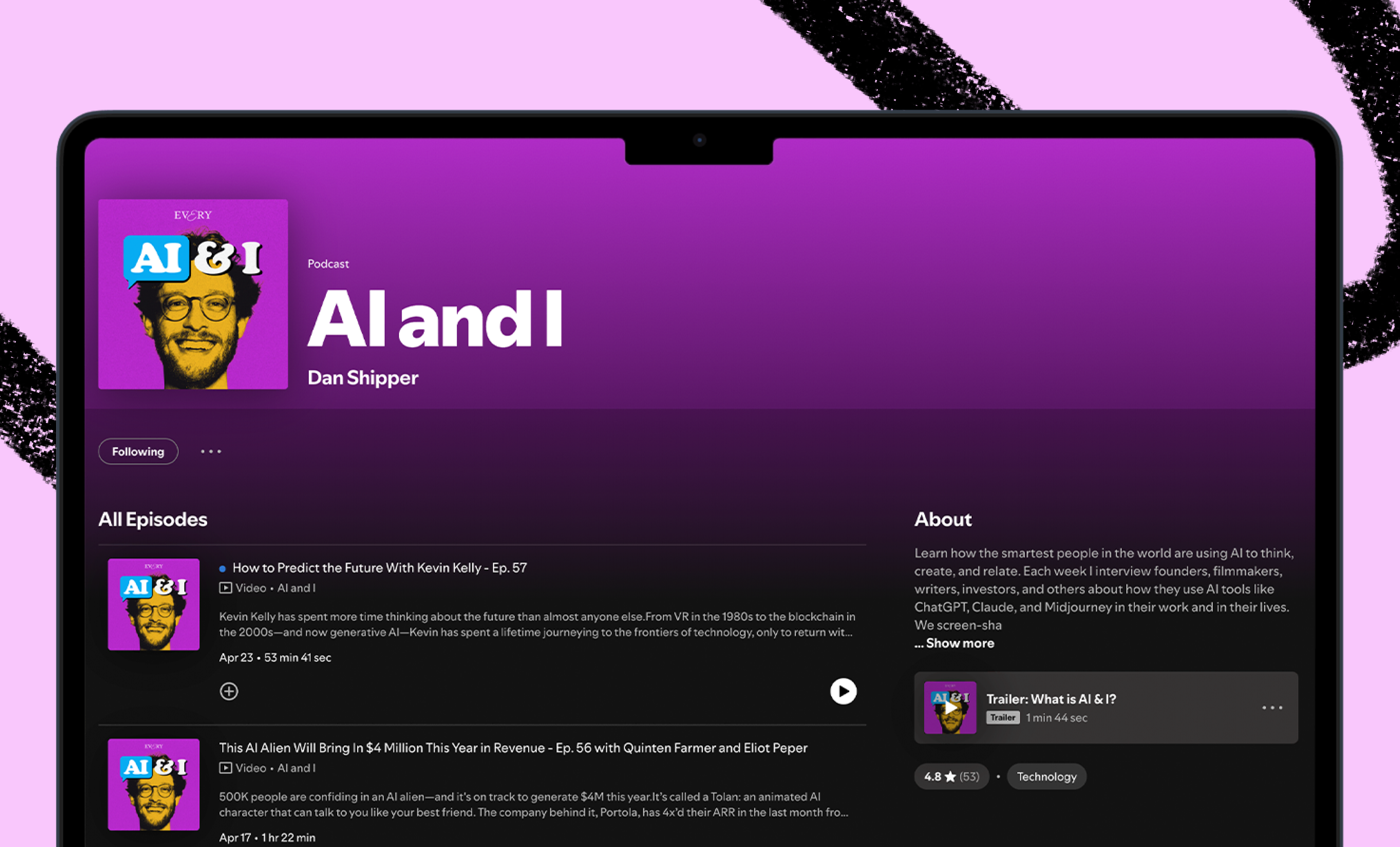
 AI&I Podcast
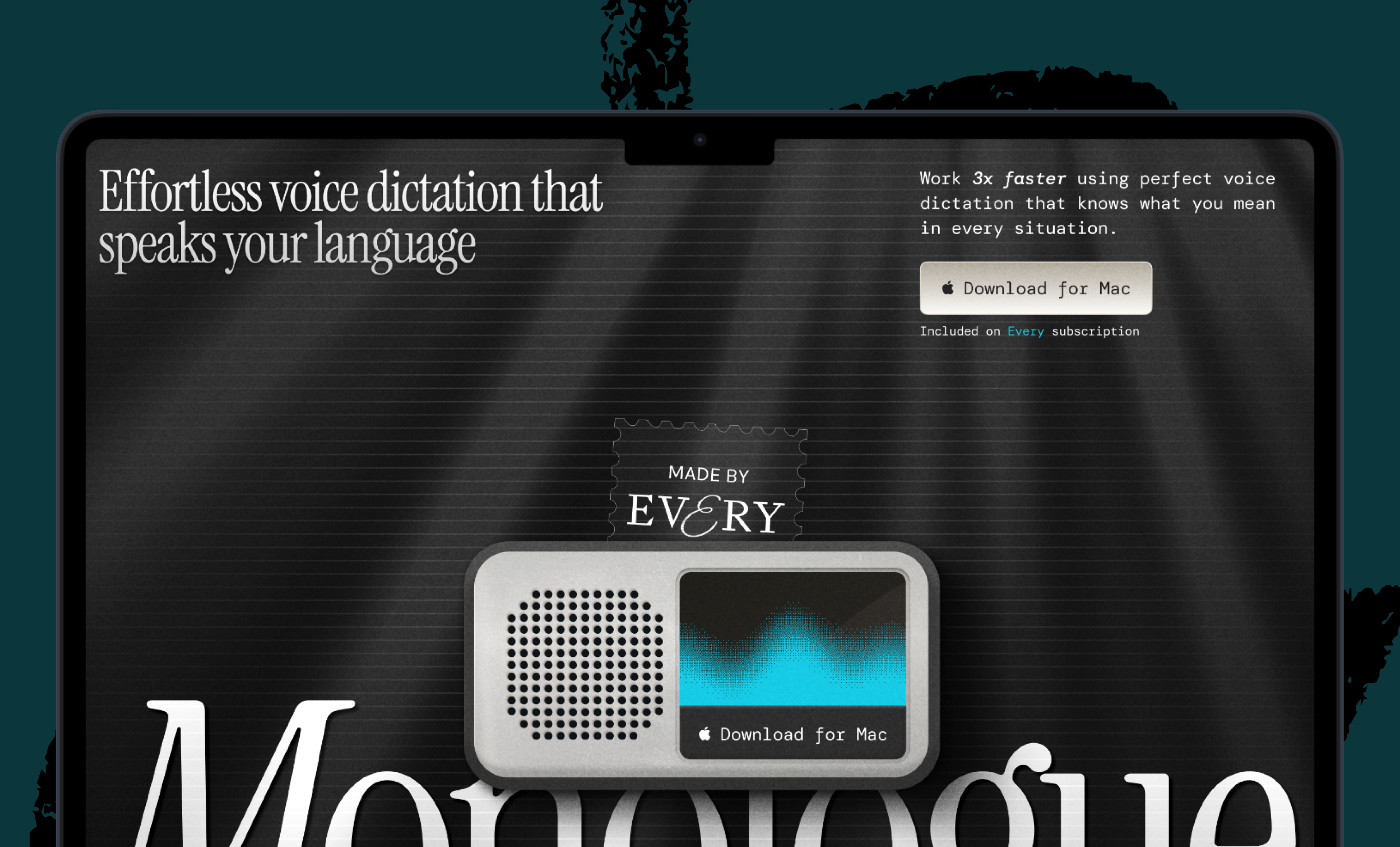
 Monologue
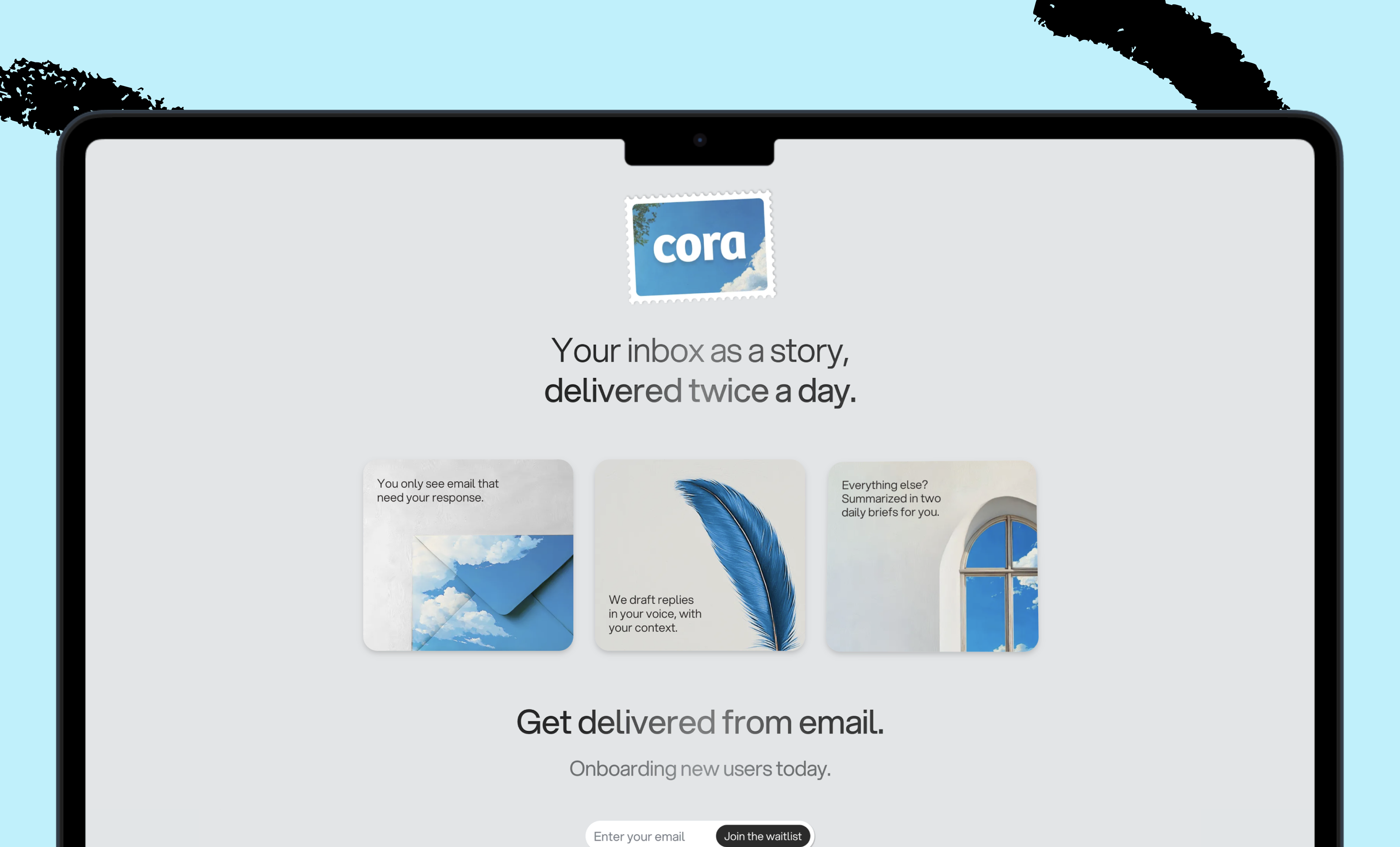
 Cora
Cora
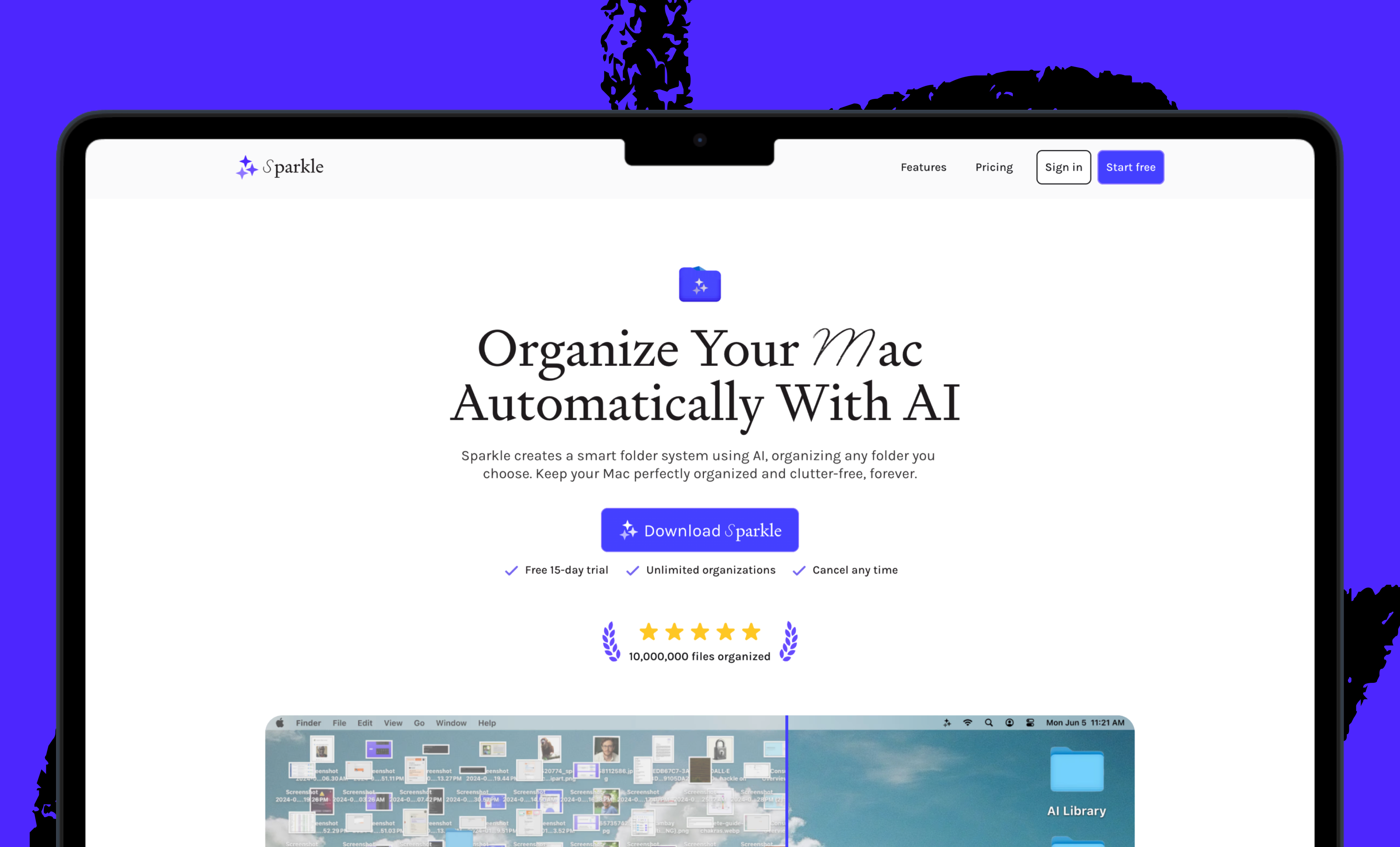
 Sparkle
 Spiral
Join 100,000+ leaders, builders, and innovators

Email address

Already have an account? Sign in
What is included in a subscription?
Daily insights from AI pioneers + early access to powerful AI tools


 Front-row access to the future of AI
 In-depth reviews of new models on release day
Playbooks and guides for putting AI to work
Prompts and use cases for builders
In-depth reviews of new models on release day
Playbooks and guides for putting AI to work
Prompts and use cases for builders
In-depth reviews of new models on release day
Playbooks and guides for putting AI to work
Prompts and use cases for builders
In-depth reviews of new models on release day
Playbooks and guides for putting AI to work
Prompts and use cases for builders
 Bundle of AI software





 Dan Shipper
.png)
 Rhea Purohit

 Reviews of new AI models on release day