





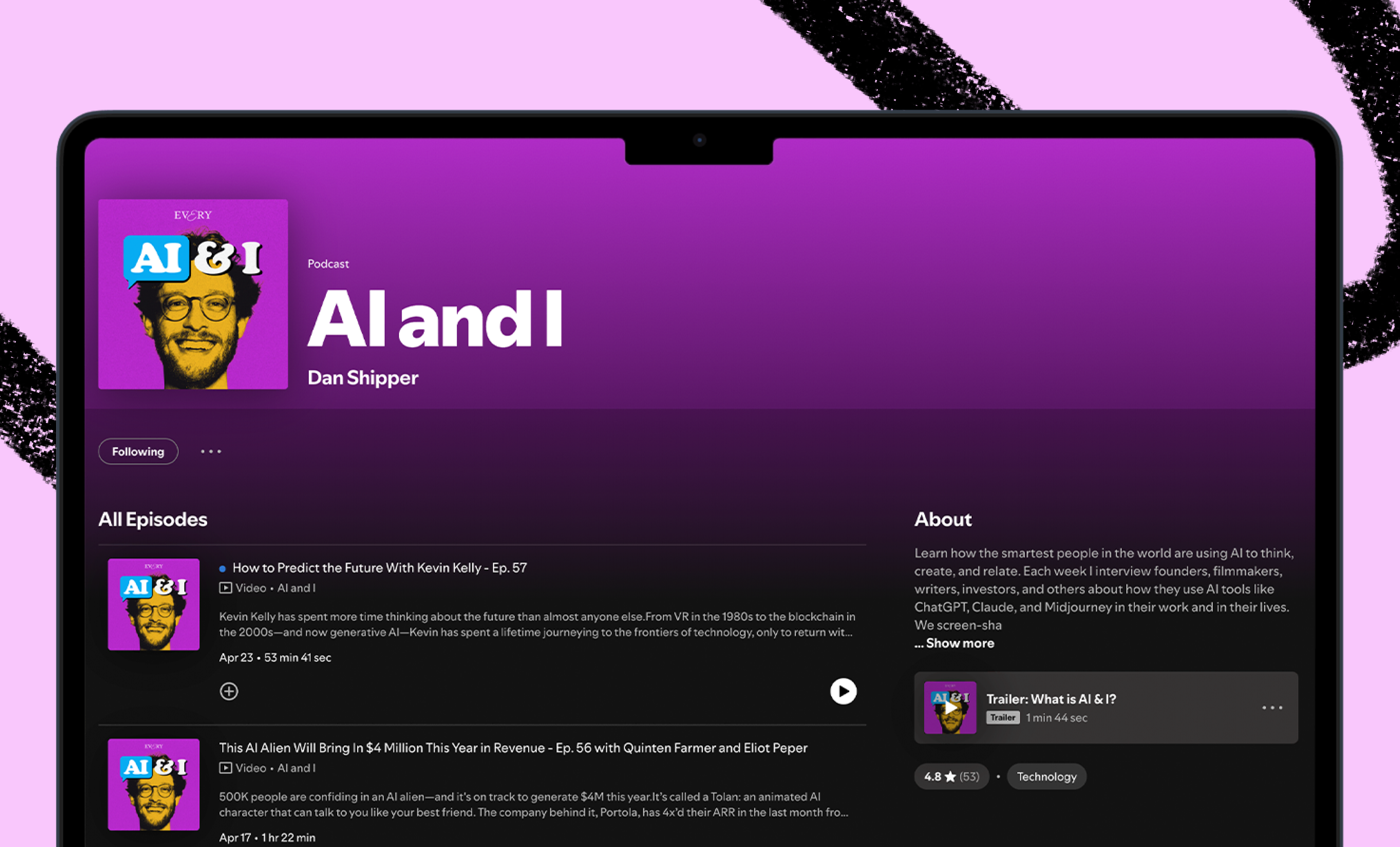
The transcript of AI & I with Kieran Klaassen and Brandon Gell is below. Watch on X or YouTube, or listen on Spotify or Apple Podcasts.
Timestamps
- Introduction: 00:01:56
- How the maker of Cora describes the product: 00:02:33
- Our first mistake while building Cora: 00:06:31
- The story of how Kieran shipped the first MVP overnight: 00:09:37
- Why Dan believes software is becoming content: 00:13:44
- Products with a point of view will win: 00:16:40
- How Kieran approaches building a new product: 00:19:16
- Best practices while using Cursor: 00:31:55
- Hacking together a copy editor in Cursor live on the show: 00:41:05
- The future of Cora, and the hardest challenge we face today: 00:53:58
Transcript
Dan Shipper (00:01:56)
Kieran and Brandon, welcome to the show.
Brandon Gell (00:01:58)
Thank you.
Kieran Klaassen (00:01:59)
Thank you.
Dan Shipper (00:02:01)
Brandon, you're the top recurring guest on AI & I, so people should be familiar with who you are. But if they're not, you are the head of studio and consulting at Every. And Kieran, this is your first time on AI & I and you are the GM of Cora. Tell us a little bit about who you are and what Cora is.
Kieran Klaassen (00:02:28)
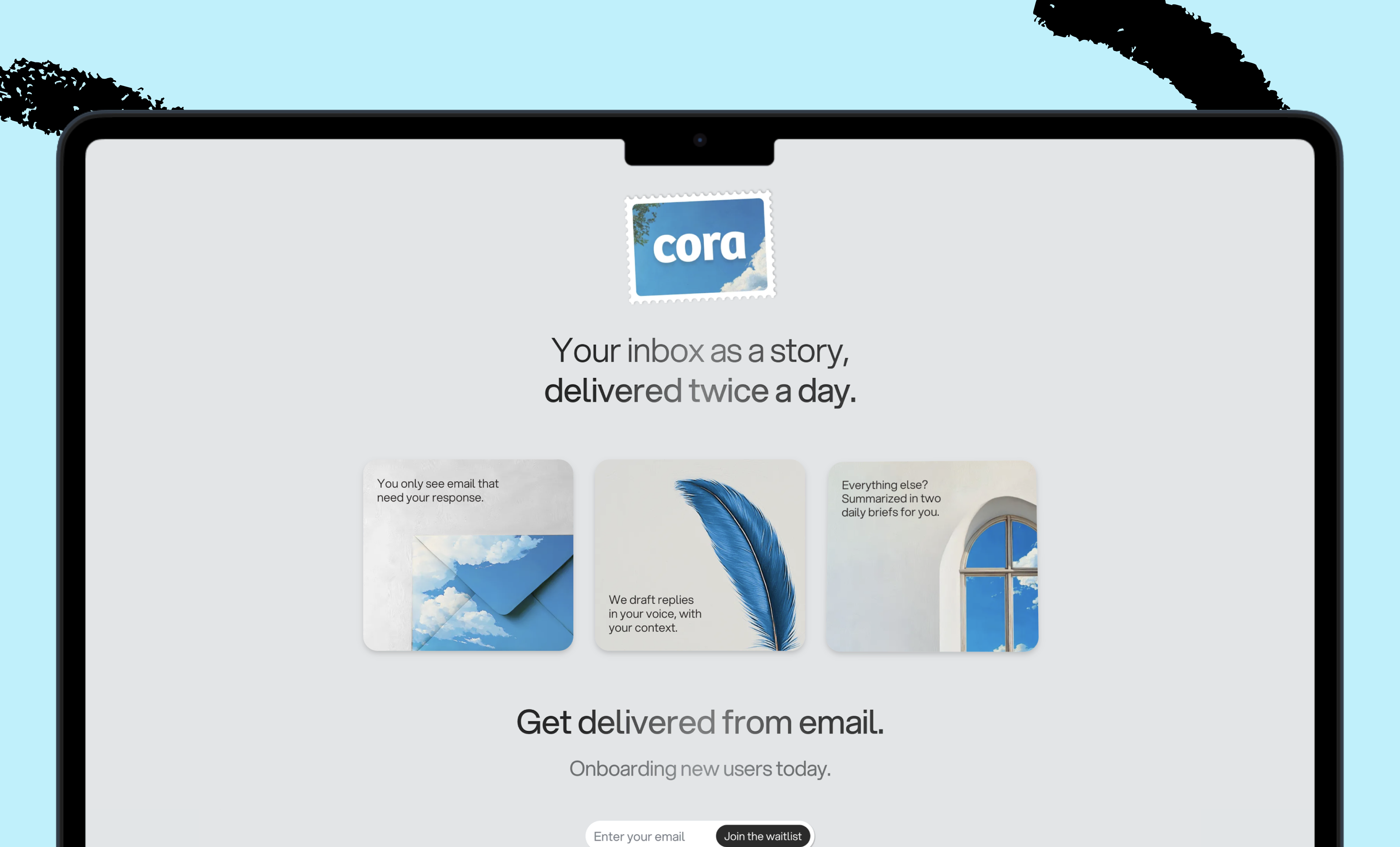
Yeah. Very excited to be here. I'm building Cora. It's a product that solves the pain we're all feeling when we think about the word email, hence my hat here. I wear a hat that says anti-email very largely printed on the front. We’re trying to solve a problem that everyone is feeling when they're thinking and working in email, which is dread, and no one feels like, oh yeah, let's open my email inbox with like 10,000 unread messages and let's go through. Or people that want stuff from me. Or random people that sent me stuff that I have to do now—today. And there has to be a better way. Dan and Brandon and I, when we met, we all kind of felt it. And we were like, why the hell did no one solve this problem yet? Why is Google not doing this? And we were playing with AI and we felt like there was something here. So we started working on Cora and it basically helps you reduce the stress you feel when you open your inbox because we take away 90 percent of your email from your inbox and brief it twice a day. So there are two moments in the day where you can read through everything that you need to know and read the bottom line of that and really focus on the important stuff. That's a very short version of it. We do way more, but I’d love to get into more details and hear other perspectives as well.
Dan Shipper (00:04:14)
Totally. And for context, we built this internally. We launched it as a waitlist product right before the holidays and it went really viral. I'm super proud of that launch. I'm super proud of the product that we have and we're just starting to onboard people right now and try to figure out how to make it work really well. And I just want to give people a sense of, what does the product actually look like? Because I think it's very cool. And I think it's a really good example of the new types of things that you can do with AI that were previously impossible a couple years ago. So this is the product. This is what my email inbox looks like. So basically all of the emails that I get that I don't really have to respond to. So you can think of newsletters or any kind of email that I get where someone is saying something like, here's like a status update or whatever. Instead of going and archiving those and reading them and archiving them one by one, what I can do with Cora is I can just scroll through and be like, okay, there's some partnership stuff going on with Every. I got an agreement from our lawyers, all that kind of stuff. And I can just sort of scroll through. I can see the money that we spent. I can see all my newsletters summarized. I scroll through it. Oh, I can see all the promotions I got. And then when I'm done, I'm done, and I don't have to press “archive.” I don't have to do anything like that. If any of these are things that I want to actually see in my email inbox, I can press “return to inbox.” I can click and read the full email if I want to. But, basically for me, it just saves a ton of time every day, going through my email. I think Kieran, you nailed it. It really deals with that dread feeling and, for me, it's sort of a pleasure to use. But I think what's really important for people to understand is Kieran, you built this end-to-end in three months, which is kind of crazy.
Kieran Klaassen (00:06:11)
Yeah. And it's really fun as well. It's the best thing. And yes, I built this in three months, but also we were feeling this idea already for four months and we were thinking about it. It's in the air. We're not the only email tool launching.
Brandon Gell (00:06:30)
Yeah, I think it's worth talking about the history of Cora for a second too because we actually didn't start here. We didn't start with briefs. We kind of started where everybody else is right now, which is an email assistant, which there are hundreds of products out there at this point that do that for you with all drafts of your emails. And we did that at first and we got really good drafts, but I think what we realized is it doesn't matter how good an LLM can mimic your voice, if it's not in your brain. So it doesn't have the context that you have, and it just can't write a good email for you—period—for 50 percent of your emails that you need to respond to. Because 50 percent of your emails that you need to respond to, you need additional context that the LLM doesn't have.
And so Cora does draft emails for you, but it only drafts emails that it thinks that it can do a great job drafting, where you're going to have to edit a very small amount. And I feel like we actually, throughout this process, realized that the actual cognitive load is the stress that you feel about managing your inbox, not necessarily responding to emails because responding to emails is kind of the pleasurable part of emailing because it means you're maybe progressing something forward. It's like managing and cleaning your inbox, which is actually the majority of what we all do that is really stressful. So I feel like, yeah, there's been like an interesting arc getting to where Cora is today.
Dan Shipper (00:08:05)
It has been an interesting arc and I think that we're starting to hit on something that I think is important for anyone who's thinking about building in AI right now, which is for a long time— We've always talked about solving problems in software, right? But for a long time, the most expensive thing was actually building the software. And that's changing dramatically. It's much, much cheaper now. And what that does is it makes the question of what you're building way more important because you can build anything in a couple days if you want, at least a really rough version. And so going on that journey of, okay, we have an idea, let's do drafting and then, oh, wait, drafting works, but, we're actually spending a lot of time reading and archiving emails that we don't need to respond to and maybe AI is better for that. That arc, in some ways, is getting more and more valuable to be able to do that than it is to write the underlying code. Because a lot of their underlying code can be written for you. But I am curious, Kieran, how were you able to make this so quickly? And take us into a little bit of your process. How much of it is just, you've founded companies before. You're a fantastic programmer. How much of it is that you're just a fantastic programmer and how much of it is you're using AI to make you faster at this?
Kieran Klaassen (00:09:30)
Yeah, it's a great question. I think it's everything together. it's really about really drilling down to understand what the problem is you're trying to solve. And at the same time being super free and just doing shit. We started with drafts and Brandon and I were on the call and we were like, oh yeah hey, hey, I have an idea. And we started suddenly the spark lit and we were like, oh yeah, we should do this and this and this. And I was buzzing in my head and I think I was walking back home and opened up my phone, just a memo recorder, and started speaking a large prompt. I was already like, okay, it's in my head. I have some idea of what we need to do. And from my experience as a programmer before I already was thinking about how I would implement this with one technology that I use. I would just talk it all out for probably 5–8 minutes, and convert it to text, and yeah, go from there. And that night I think I built an MVP and sent an email and said, yo, Brandon, here it is.
Dan Shipper (00:10:50)
We were both like, holy shit.
Brandon Gell (00:10:55)
I remember that. So Kieran, remember we got a phone call and I was catching up with Dan and he was like, how long do you think it's going to take him to do a V1? And I was, I think he is going to have something by the morning. And that's just not something that we could ever imagine a year ago, two years ago that you could possibly do that. And you did. And we woke up and we had a functioning V1 of Cora in a day. Kieran, I don't even know how you'll answer this, but how much of the code behind Cora, which is a huge product now—it does a lot—was written by AI, do you think? What percentage?
Kieran Klaassen (00:11:38)
It's a good question. I think everything is written by AI or maybe 80–90 percent, but 100 percent has been thought of by me. So I think that's how I think about it. It's like AI helps me, but it's really a collaborator just enabling me to do things faster. The tedious things are just faster. So I probably didn't think about everything, but who does most of it?
Brandon Gell (00:12:10)
Well, it's amazing. You're almost more of a writer now that knows that programming vs. a programmer.
Kieran Klaassen (00:12:16)
Absolutely For me, this is very natural. A little bit of background. I'm a musician. I studied composition. I did film music for eight years, conducting orchestras and scoring. The whole thing. And for me, software is very similar. What you try to do is tell a story like with music, you do that. You score a film or like a short with music to make you feel a certain way. And I think of it in a similar way with software, where you create an experience where it makes you feel or experience something or tell a story. And that's kind of different than maybe a problem solver, an engineer-y kind of perspective, which is another way to look at it, which is like, hey, I have, I'm going to program this thing. I always think big to small. And then I don't really care how it works. Clearly I care about beautiful codes and things that look good, but if it works, that's more important. And if it's solving the problem or telling a story or making you feel something, that's the most amazing thing. If you build something that excites you as a user, that's positive energy.
Dan Shipper (00:13:41)
That's been something we've been talking about a lot here at Every. In the Q1 kickoff that I did, we were talking about software becoming a little bit more like content. Because it's just much easier to write. And it also goes viral. A lot of our growth at Every has been us releasing software products like Cora over the last couple of months. And also writing is becoming a little bit more like coding because it's because you can actually build stuff with your writing. So there's this merging. And I think what you're pointing to is for a long time, we thought a lot about software engineering as about problem solving — solving really, really well defined problems, which is, I think, a great way to look at it. And we think about that all the time. Also, today we were debating what problem you're solving with a particular onboarding feature. And I think that's a really important lens. But I think being able to really crisply define and resolve a problem is in a lot of ways, a function of the fact that software has been really expensive to build and so you don't want to take a risk to build something that doesn't actually solve a problem for someone. And I think you're coming at it from a different direction, which I think is in general how we try to think about it at Every because it's really compatible with writing and just creativity in general, which is making something that makes someone feel a thing, which is a lot harder to define. And a lot of it has to come from sort of taste and vision and experience and creativity and all that kind of stuff. And I think software is moving in that direction more, which is another way in which it's a lot more like content now. Yeah, if anyone can build an email summarizing tool or like an email response tool or whatever, the one that makes you feel great is going to be the one that wins because everyone can solve the problem. And I think that's like a really interesting thing. And it's one of the most special things about Every. I think we're all trying to do that.
Kieran Klaassen (00:15:36)
Yeah, absolutely. And what is very interesting about that concept is it's more about good taste and style and just experience and what you take with you—your perspective. And especially with Cora, you see that everyone on the team likes to bring their vision and it's a different kind of solution to email. We hear people say, there's no one else like this. It's different and that can be good. That can be bad, but we're very proud of it. That and sometimes we have discussions like, oh, should we make it a little bit easier on the user here? Or make it a little bit smoother. And I'm like, eh, maybe it's okay to make a statement or do something a certain way, especially to stand out and that comes with that taste.
Brandon Gell (00:16:40)
Yeah, I feel like a lot of what we build—and a lot of what the most successful businesses are that I'm seeing right now that are being built using AI or leveraging AI—they come from people or organizations that have really strong perspectives. Sparkle is the same thing, and Cora—they're actually very similar. We're applying a perspective that we have, and it's not going to work for some people and it worked great for some other people. And it's a perspective that can only be applied by hand in a previous world. How I organize my files, that's something that takes a certain level of intelligence to be able to do. Only looking at my emails at 8 a.m. and 3 p.m.—that's something that you need to force yourself to do. So having a really, really strong perspective or methodology feels like for the first time you can actually force people to follow that methodology. Superhuman for email, kind of did this a little bit. I remember when I used it for the first time and instead of marking emails as read, you were marking them as done. And that felt like the big unlock where you're actually saying, I'm archiving this email, I don't want to see it in my inbox whatsoever. And I think it's just amazing how much more you can do now that you can apply an intelligent perspective through LLMs.
Dan Shipper (00:18:10)
Yeah, and I think that's also another overlap with writing. It's a writer's job to have a perspective. And that's another way in which I think product building is starting to overlap. I do want to go back though, Kieran, you said you had this great anecdote of building that first Cora MVP in one night. And you said your process is basically go take a walk, talk out a prompt, get home, transcribe the prompt and then get started. But, give us more details into how that works. Because selfishly, I'm like, how can I leverage this in my own process? Because, for example, one of my big questions is what is that prompt? Especially for a new project, what are you trying to get into that initial prompt as you're walking and talking that sets you up well?
Brandon Gell (00:19:02)
Can you find this prompt, Kieran?
Dan Shipper (00:19:05)
That would be great. I love that idea.
Kieran Klaassen (00:19:08)
So this is an example of something I was thinking of at some point walking somewhere. So normally what I do is when there's a new model coming out—I think this was o1 coming out—I want to build an app and I'll see how far I can push it, how far it will go, and where it breaks. It's just a good way to test it out. So I was a composer and I wanted to make a music app that had a specific thing where you click somewhere and there's a synthesizer and a sound generator and a mirror node, a whole complex compositional system. But really what I do in a moment like this is I just go walk. Walking enables me to just keep going, not thinking too much about it, getting more into a flow state, and it just starts building a prompt in my head. It's kind of weird. You're basically talking like it will become a prompt. And this is something I actually learned from you, Dan, in earlier episodes where you said you need to ground it and how to push the model into a certain direction.
So I start dropping like, oh yeah, you are a very good iOS engineer and you like Swift 18, you're amazing. Or just start with something like that. And it’s a start. And you start grounding it. And here it's like, I'm going to describe an app and its elements. This app is called “Theese,” if you open it, there's only one screen. Well, I just visualize the app here in my head and just do— I'm opening my phone and just imagining it and just talking through what happens. So maybe every corner has a different color, four-way gradients, tones of green and blue, a little bit of texture on it—like a grainy, noisy texture. So it looks a little bit fancy. Using words like “fancy” and maybe “Apple design,” just describing the feel. That's the background. Then in the middle, there's a separation. There's a line in the middle—somewhere in the middle. Actually, it's not a line, but it's like two parts of gradients. So you see, I was thinking about something. It was, oh, no, no, no. Scrap that. Yeah, let's go. So I just jam like that. Here you can see everything and until I don't know, and I try to just add details everywhere I can until my brain is empty. And then I stopped the recording and I don't take it anywhere directly from that. That's just step one.
Dan Shipper (00:21:59)
That's really interesting. So for people who are listening, basically what you did is you went and took a walk. You just rambled off the top of your head, but the way that you're rambling is— Actually, it's kind of wild how much detail you're able to give about what you want, which I think is really actually important and interesting. There's a lot of talk about how prompt engineering is dead or will die. And I think what's important to know is maybe I'll pay you 10,000 if you do give me a good answer and I'm going to die because the model should just give you a good answer no matter what. But being able to say, hey, I want an app that does this and I want the background to look like this and I want the style of the button on the left hand side to look like this is actually that's not going away. And that is prompt engineering. And that is really, really important being able to know that. And so it seems like that's what you're doing is you have a vision in your head of what you want, you're walking and talking in as much detail as possible, and you're not really worrying about whether or not you're getting it right as you say it because you just like to walk back and say, actually I don't want that, it should be like this. And then it sounds like you're transcribing. What was that screen you were showing me? What did you transcribe it in?
Kieran Klaassen (00:23:28)
So what I do is I use Voice Memos and then I put it into MacWhisper, which is a free Whisper converter. But actually now Voice Memos do transcription as well with the new iOS 18. So I use that once in a while as well. So yeah, I'll just use that. And then from there I go into my choice of LLM for the moment and start working on it more and converting this into a PRD. Most of the time I say, hey, okay, I have this idea. In Cursor, sometimes I add a notebook. And I create an outline of files or, depending on what it is, if it's simple and Claude is great for artifacts, but whatever I want to do after that, I take it from there, but it's a separate thing. That initial burst of inspiration, it doesn't matter where it goes.
Dan Shipper (00:24:30)
Well, let me get into detail on that. So basically you have the initial burst of inspiration. You write down the prompt, you transcribe it. What is your model of choice right now to make it into a PRD? And for people who are listening, what is PRD? What are the elements that make that effective for moving into coding?
Kieran Klaassen (00:24:50)
Yeah. I just always try to use the best model there is, the model that thinks the longest and the deepest. And currently that's o1 pro. but I have to say others do it great as well. So Claude Sonnet is great. There are no bad models anymore.
Dan Shipper (00:25:11)
Are you using o1 pro a lot? Do you like it?
Kieran Klaassen (00:25:13)
Oh yeah. I think of Cursor most of the time for coding, but o1 pro for everything else. It’s good. It’s slow.
Dan Shipper (00:25:28)
Like, planning coding? Or what else?
Kieran Klaassen (00:25:30)
Yeah. It's planning coding. But also thinking through strategies or just doing some collaboration that's not coding. Just a partner, bouncing ideas or interesting laying out options.
Dan Shipper (00:25:45)
I find myself using o1 all the time. That's my main model right now. And I have o1 pro, but it just takes so long. And I think sometimes it feels like it's a little galaxy brain. It overthinks and then maybe the quicker response from o1 is actually better. And so in certain cases, I haven't figured out— Basically, where I use o1 pro is a lot of the coding that I'm doing is sort of like you were, it's 90 percent AI-generated, but it's different from you in that I'm too lazy often to think about what the architecture should be, because I don't think that most of the stuff that I'm doing is not going to last beyond the couple hours when I'm doing it. And sometimes right now, a lot of the coding assistants—I use either Windsurf or Cursor Composer—they get stuck in loops and do weird stuff. And so when it's getting tangled up, I throw it into o1 pro and it usually figures it out, or I'll send the code to o1 pro and be like, is there anything in here that I should be aware of? Is it actually doing what I think it's doing, which is helpful? But other than that, I tend to just use o1. So it's interesting that you're using it for almost everything other than coding.
Kieran Klaassen (00:26:55)
Yeah, I use it for coding too, but very specifically, if I know what I want and just say do it and then it does it perfectly. But the interesting part about using it is actually that it takes so long. Yeah, you can say it's a bad thing, but what I use it for, if I use it, also makes me chill a little bit because working with AI can be very energizing, but also a little bit stressful because it goes so quickly and your brain, it really goes hard. And it's kind of refreshing to have to just sit on a chair, do nothing for three to five minutes once in a while. So I kind of embrace that.
Brandon Gell (00:27:40)
How often do you actually look at its thought process?
Kieran Klaassen (00:27:42)
Never. Never.
Brandon Gell (00:27:44)
Because I would think that would also be helpful to look at that and be like, do I agree with the way that it's thinking and do I think the output will represent this. But I guess you can just go for it.
Kieran Klaassen (00:27:55)
So I never look at it because it's like a summary either way. Also, why I use it is because it is the newest model. I want to learn the most with it. And the only one to really learn about a model is to use it. That's how you get better is to use the model. So it might also be that where it's still a new model in my mind where I don't really understand or have a good feel for it. So that's why I use it as well—that's another reason.
Dan Shipper (00:28:24)
Brandon, what are you using these days?
Brandon Gell (00:28:26)
I use primarily o1. I actually can't use Claude right now because it's not available in Nicaragua. I have no idea why. I just can't wrap my head around why. So I'm like full OpenAI right now. And I just, honestly, use whatever it defaults to, which right now is o1. I don't do anywhere near as much coding as you guys, but I did use it to make a sort of a luxury personal app the other day and was blown away at how much better it is since the last time.
Dan Shipper (00:29:02)
What was the app?
Brandon Gell (00:29:04)
I'm still building products to help me learn Spanish better and I just can't seem to find a flashcard product that works well because I really feel like my writing and my reading is far surpassing my listening and my speaking. And I just want verbal flashcards.
Dan Shipper (00:29:25)
What's a verbal flashcard? It speaks to you?
Brandon Gell (00:29:29)
I want it to say the word and I wanted to respond with Spanish or English.
Dan Shipper (00:29:35)
Cool! Did you get that to work?
Brandon Gell (00:29:38)
Yeah, it was fun. Maybe it was three prompts to get the product to a place that it kind of worked and then just had a bunch of error handling that was very easy. But I mean, it was remarkable how quickly I got it to work.
Dan Shipper (00:29:56)
Did you use the Realtime API? Or what'd you build it with?
Brandon Gell (00:30:00)
First I just used Google's audio API and it was awful. And now I'm switching it over to the Realtime API.
Dan Shipper (00:30:10)
That's fascinating. I love that. It's still far underappreciated how easy it is for non-technical people or just even technical people to just make something real. It hasn't filtered into public consciousness yet.
Brandon Gell (00:30:27)
Yeah. That’s why Replit’s agent is going to be so important because getting stuff actually hosted and pushed to a website that you can access it regularly so I can do whatever I want vs. like I'm going to need to run npm run dev in the terminal, which most people don't know what that is. That’s really where luxury software and one-time software becomes possible. Because maybe o1 pro or o1 is the best at writing code, but that’s not what's hard anymore. What’s hard is actually hosting it.
Dan Shipper (00:30:59)
All the environment stuff. Have you used Cursor Composer or Windsurf for this kind of thing? Because it’ll run all that kind of stuff.
Brandon Gell (00:31:10)
I should be getting a 101 from either of you at some point.
Dan Shipper (00:31:14)
The nice thing for me is with Windsurf and Cursor Composer, now they can use the file system. And so they'll set up a lot of those things. And because they run let's say they run npm install or whatever, they install the dependencies. If it runs into an error, it will see the error and then fix it automatically. And that just has saved me tons and tons of time where I would usually be banging my head against the problem and Googling for what this random error is and it just fixes it. I'm curious, Kieran, you're using Cursor Composer mostly, right?
Kieran Klaassen (00:31:45)
Yeah. That's my main driver. I've used many others, but it just works best for me.
Dan Shipper (00:31:55)
Do you have any tips for effective Cursor Composer coding?
Kieran Klaassen (00:32:01)
Yeah. It's not a tool—it's in your head. It’s kind of the problem Brandon is describing—people think they can do it.
Brandon Gell (00:32:10)
I love that it’s the midwit response.
Kieran Klaassen (00:32:15)
No, it's really— A friend of mine, we spoke on Monday, two days ago. And I was just saying to him why are you not building stuff? He was, yeah, but I'm not too technical and blah, blah, blah, blah, blah. I hear it so many times. And I said, just try it, just download Composer, just do a basic thing. And I gave him a few instructions. And yesterday he texted me every hour. I built another app with the video today, he said I built an app for my daughter's school, this and that, with a leaderboard and confetti and all kinds of things. And he is on the sugar AI rush for sure. But, it's in your head. And what works is just go do it. Go feel that. Because if you've never felt that, it’s hard to understand. Yes, you need to understand a few things, like what is the difference between Chat or Composer and Agent Mode and which one should you use? And it should be nice.
Brandon Gell (00:33:26)
The limiting factor now is not knowledge. It's just patience. And your own determination to actually like run into a problem and literally put it back into. Also, I don't even read the errors when I get an error. I don't even read them and sometimes I wonder, well, is this bad because I'm not truly understanding what the problem is and then I'm just sort of like screw it, that world is over. And also I'm never going to be a great programmer. So my goal is to not understand this. My goal is to just build the thing.
Dan Shipper (00:34:o2)
I agree. I think that's my big question for you, Kieran. And I find myself, sort of like Brandon said, being almost like a copy-paste monkey where I'm just like, paste the error, go back and then I think there's a real question. And I think it's actually turning into a skill question, which is how do you know when to check the work of the model and to get into the details vs. not? And, I've been talking for a long time about this sort of allocation economy thesis, in which we're moving from knowledge economy to an allocation economy where previously what was how you were compensated and now it’s how well can you allocate intelligence? And the skill to allocate intelligence is a skill that is sort of the skills of human managers right now, where a human manager always has to answer that question for themselves too. If someone did some work, do I micromanage and get into the details or do I fully delegate? And then how do I know when to do that? And I'm curious for you, you said earlier you really understand the code that's being written. Is that because you're actually reviewing most of the code that gets written? Or is it because you are architecting the code before the AI writes it, so you're pretty confident you understand how the system works? How are you dealing with the kind of get into the details vs. delegate?
Kieran Klaassen (00:35:29)
Yeah, that's a really good question. So for Cora, it's different than for an app that I just quickly do for fun. There are differences and for Cora, it's also different because I use technology that I've been using for 15–16 years already. So I know it very well. It's just different. This is Ruby on Rails HTML, which I have known for a very long time. And that's what we use. And it's different if you use technology you know because you look at it and you have an opinion or you have a feeling or there is feedback there. So I can use that. Do you need to? That's a good question. Maybe not.
So, for me, the most important part is actually not the code that's written. But where things go wrong, if things go wrong, it's always because the idea or the problem is not clear. If I do something where Cursor writes code that I like is not good. It just means it's not clear what it should do. I'm not clear on how to structure things and think of it, for example, like emails. So email, we need to define what is an email? What kind of states can an email be in? And if I don't understand. All those aspects, it's very hard for Cursor to do the right thing, and it will fill in details. And when it's filling in these details, sometimes it goes rogue into different directions that are contrary, and that's not good. So you need to be very clear on directions.
Dan Shipper (00:37:20)
How do you deal with filling in details, because one thing that I notice, and again, I'm mostly using this for one-off apps, is when I create the app, I'll make all these decisions, let's say I use Superbase as the database, as a simple example, and then for that composer session, it remembers that, and then the next time I use it, if I open up a new session it'll forget a lot of that stuff. And then it will make new or different decisions, it'll be like, let's assume that the database is a locally hosted SQL Postgres database. And I'll connect to that and I'll be like, no, no, no, it's Superbbase. And then it's like, well, where's the end file? And I'm like, here it is or whatever. Or I'll ask it to build something new and it will like to delete something old as it's building the new thing. So there's all this weird stuff. Do you continually create a context file or it to know certain things? Or how are you making sure it remembers the decisions that you've made and not messing things up?
Kieran Klaassen (00:38:34)
Yeah, there are a few things—
Dan Shipper (00:38:36)
So for people who are watching, you're in Cursor. You have your Cursor settings open and you're going through the file system. Keep going.
Kieran Klaassen (00:38:44)
Yes. So there's this file that you can create in your project called dot Cursor rules. You can write stuff. This is linked to the current project. So normally what I do is when I see things go wrong, like what you said, where something is wrong, I just go in here and edit. And it's very simple. So for example, for controllers, I like to say, hey, actually, there are two helpers always present that you can use—
Dan Shipper (00:39:19)
So basically you're putting like incursion rules at the top, you have a heading that says controllers and then underneath that, you have some information about controllers in your code that you want it to follow. That's basically how it's structured?
Kieran Klaassen (00:39:30)
Yeah. And mostly these things come from things that go wrong or like things that are like, oh, it did something and then I say, oh, but can you actually do it like this? And I'm like, okay, let me add that instruction already in the Cursor rules so I don't have to say that every time.
Dan Shipper (00:39:50)
And do you do that manually? Or do you say, add this to Cursor rules?
Kieran Klaassen (00:39:54)
Yeah, I don't know. You can probably edit it now, but it's an interesting idea.
Dan Shipper (00:40:01)
Yeah. Wait, so I know that you put the Every style guide in there. So one of the things that's been really interesting is at our core, we're a media company full of writers and editors who care a lot about language. And so all of the copy for all of our apps gets carefully copy-edited, which can take a little bit of time. And I know you put the Every style guide in your Cursor rules so that hopefully we can get some of the copy-editing out of the way. Does it work? Is Cursor Composer able to apply that style guide to copy in the app?
Kieran Klaassen (00:40:34)
I think so. So I've been opening emails and apps and what I do is like, hey, can you apply to every style guide to this, especially? So I try to reference it a little bit so it does it better. So far it has been changing how we write things a little bit, but, in the end we'll see how many notes come on the copy.
Dan Shipper (00:41:05)
Wait, can we try this? Can we try this together? I really want to see this. So basically like I'm sending you a link to a very, very draft-y section of an essay I'm writing. Can you throw it in as a text file into this project and then just ask Cursor to copy-edit it. I want to see if it'll work. Wait, here's the chat because honestly if this works this changes a lot like we're gonna have all of our editors start to use Cursor now.
Kieran Klaassen (00:41:36)
People have been writing novels in Cursor, so I know it's possible.
Dan Shipper (00:41:42)
That’s great I put it in the Studio chat and please please don't judge the terrible writing. I can also just throw it in Discord if you want.
Kieran Klaassen (00:41:50)
You can still see Cursor, right?
Dan Shipper (00:41:52)
I can still see Cursor. So for people who are listening, so basically I sent Kieran a draft of the essay I'm writing—or part of a draft—and he's saving it as a Markdown file in his Cora project. I guess we should make sure this doesn't get committed. And now basically he's going to take the Cursor rules that he has, which have copy-editing suggestions and ask Cursor to edit based on our copy-editing style guide. And he's saying, can you review and apply the Every copy style guide? And that's it. Guide without, without an “e.” “G-U-I-D.” And it's saying, I'll help and review and edit the text according to the provided style guide. Let me analyze the content and make the necessary changes. If this works, I'm going to be so happy. I think people don't understand how interesting and important this agent interface is and how common it's going to be for every kind of workflow. It's starting with code, but this is going to happen everywhere. It's going to happen in word processing. It's going to happen like in all parts of our lives. And I've started to use this actually for note-taking and stuff. It's been really cool. This is really interesting. So it says, I've applied the style guide rules to improve my writing. Here are the key changes made: title case for headlines and section headings. Interesting. I'd have to really look at this, but based on what I can see, I would guess that it's not missing things and what you'd need to do is ask it to go rule by rule through the entire file. I don't know how to do that yet.
Kieran Klaassen (00:43:55)
And also if we want to lean into it, more create a notepad with the style. So you can reference that notepad and say, hey, everything in this notepad goes line by line, or you can say just go through it once and then do the other. There are other ways to do this as well. Clearly this is not set up to do this, but yeah, it's a hacky thing. But the cool part is like, okay, we, so let's say this is it, but also you can say, can you create a promotional email using the core of this idea to link to the full blog post?
Dan Shipper (00:44:40)
That’s interesting, yeah. So basically you're using this as a content creation tool. that isn't just creating the content. It's also putting your whole system into the code and writing the code for it. And yeah, I think people don't understand how powerful that actually is having everything integrated together.
Kieran Klaassen (00:45:00)
Yeah. And it can run things on your computer. The beautiful thing about working Cursor is you can access everything and rethinking that this content now you can use to write a landing page or—
Dan Shipper (00:45:19)
Wait. Hit submit. I want to see what happens. So you're saying, can you create a promotional email using the core of this idea to link to the full blog post? And we'll see if it actually works.
Kieran Klaassen (00:45:31)
So we'll just go here and we say, can you use this copy to write the email from there? And what it will do now is it will look at my other email that I already have.
Dan Shipper (00:45:49)
It's editing the template, which I don't think you want to— See, this as an example of what we don't want.
Kieran Klaassen (00:45:55)
Let’s go back. So, create a new email goal.
Dan Shipper (00:46:01)
This is why you have to keep your eye on your agents because they'll go off and do things that you might not want. And basically what you're doing is you're just noticing it and then you're editing the original prompt rather than waiting for it to do something. And now we've done it. You've said create a new email. Okay. It’s now saying like, okay, I'm going to go create a new mailer template. And it's like basically rewriting the email and creating a new template. And “How can we teach what we cannot define?” is the subject line, which is, It's only funny to me because I wrote this piece and you guys have no idea what this is about. But It's very very funny. I love this. I think this is really cool. My last question for this is can you ask it to go line by line through the style guide, can it do that?
Kieran Klaassen (00:46:52)
Let's try that. So let's go to the— We're inventing things as we go.
Dan Shipper (00:46:58)
Yeah, we are. So you're going back into Cursor rules and what are you doing?
Kieran Klaassen (00:47:04)
I’m trying to create a notebook—or notepad. So notepads are these pieces of prompts or whatever you want it to be. It could be a PRD that you're going to inject in the composer or anywhere else so it knows— It doesn't need to always know about it. you can put it here, but if you want to inject it can go here.
Dan Shipper (00:47:32)
I see, so Cursor rules always follow this, always use this. And notepads are like, use it in specific cases where I specifically ask you to use it.
Kieran Klaassen (00:47:39)
Yeah. Go through the items one by one. So what I'm doing is. quick and dirty, Every style guide. It says always use the following style about going through the items one by one and suggest edits. So, okay. So these are lots of lines. I'm going back into Composer, command-I, reset. What I do is I go to the notepad and say this one, it's called a new notepad, I'll rename—
Dan Shipper (00:48:18)
So going back, you're adding a new Composer window. You're adding a new notepad in the Composer window, or you're going to re you're basically going to rename it. So you're adding the notepad in your composer window and then saying, can you apply the style guide? Let's see what it does.
Kieran Klaassen (00:48:43)
And a cool thing is— Currently we're using Claude 3.5, but if you want to try a different model, every model out there is here. So you can just switch to another model and you have the same interface. You can just see how that goes. That’s super cool as well.
Dan Shipper (00:48:58)
I think this is not quite working yet. I found that like AI models— The current version of LLM models are not that good at taking a rule and then applying it in every instance where it's violated in a piece of text. They find a couple. The only one that's good at this is o1, but o1 is not in any of these agent interfaces because it doesn't have tool-calling yet, but that's coming. It's definitely— It'll come out like this quarter, I'm sure. And I think that will totally change how this works.
Kieran Klaassen (00:49:34)
Yeah. So I went to normal because we don't really need an agent for this because this is kind of a one-shot, so it's a little bit hard to understand, but the difference is the agent can think in steps and normal is more like you say something and then it says something back. It can still create files or do things. So that part is not the agent-like thing. It can create files, but it cannot see what the error is. An agent can run code to your computer and see, oh, there's an error. Oh, let me fix the error. And then you don't need to do anything. With the normal one, it just creates the files. You have to do it yourself and then say, oh, there's an error, can you fix it? So that's the normal, but you can use o1 and normal, which is still good.
Dan Shipper (00:50:25)
The agent, basically it runs in a loop and just tries to finish the task for you. And chat tells you what to do. It's sort of like having ChatGPT in your Cursor. And you have to kind of manually apply each change.
Brandon Gell (00:50:44)
So, it can do that iteratively based off of the problems that it encounters, but it doesn't yet work within a single prompt? It's not going to work iteratively inside of a single prompt?
Dan Shipper (00:50:54)
It's not going to be based on your initial prompt, it's not just going to keep running until it thinks it's finished the entire task, it will just respond with all the responses and then you apply the changes and then you can say like, okay let's keep going.
Kieran Klaassen (00:51:10)
Yeah. And there's also the chat, which is the most simplistic version. One other way we could try it out is selecting one section and yeah, do command-K and then say—
Dan Shipper (00:51:24)
I think that would probably work better. I’m just trying to think about what our editing team would actually do. And, yeah, until it's agentic, I don't think they're going to do this.
Kieran Klaassen (00:51:53)
Yeah, but I think there might be a way to instruct the agents to think in a loop. There might be. We just need to go through it. I'm pretty sure you can do it. But it doesn't work simply so yeah, it needs some work.
Dan Shipper (00:51:52)
Okay. Well, We're getting close to time and so I just want to take it back. One of the interesting things to me about getting to do this kind of podcast is we get to take people along in our journey to build these businesses, which are— It's like a new generation of business under a new kind of structure. We have multiple different products, multiple different businesses under one roof. And we're figuring it out as we go along. And I think the more we can bring people into that process of figuring things out, the better. I'm curious, let's talk about the main problems right now, right? We launched Cora, we have a waitlist, there are 7,000 people on the waitlist, which is amazing. We've started to take people off the waitlist. And we've done that and it sends an email to them and saying, you’re off the waitlist. And then also Brandon has put the team on his back and is doing a lot of manual onboardings. Your whole schedule today is, I think, filled with doing manual onboardings with people, which is amazing. It's like the Superhuman style of onboarding. And we decided to do this because just signing up with your email and letting something have access to your email can be really stressful. It's a high pressure thing and having this kind of over-the-shoulder onboarding allows us to identify problems so that we can guide the initial people through it and then fix the problems. But I want to talk about what are the main problems that we're trying to solve right now? How are we approaching, okay, we're going from here to the next step, which is we can probably launch it publicly. But there's a lot of steps. So yeah, what are we thinking about right now?
Brandon Gell (00:53:48)
Before we get into that, I think I can share what the hardest part about this is, which is that we just have a bias to use the products that we make. Sometimes I feel like that can make us feel like the products are working because we use them. Even though we may be convincing ourselves that some of the problems that we're encountering aren't real problems because we want to be using the product. And that is an impossible question to answer if we're doing it or not, because it's hard to recognize that for some types of problems. So I feel like onboarding manually helps us get a sense of what people's real concerns or apprehensions are, specifically with a product that's going to manage such a critical part of your work life.
And I mean, that's one problem that we're all very aware of right now, which is Cora archives your emails. It makes it so you don't see stuff that people may be sending to you that is important. And the debate that we had this morning was, none of us feel this problem, but we've onboarded some people that have, and how big of a problem really is it? Are those people ideal customers or are they not our ideal customers? Because we seem to not have that problem, but are we convincing ourselves that we don't have that problem? So I think navigating through that is sort of a big overarching theme of how to prioritize.
Dan Shipper (00:55:25)
Yeah. I do think that's a great point. And one of the things I love about the products we're able to build as we build products for ourselves. And I think that's a great place to be, but I think that the potential downside is you get one moment when you first use a product where all of the problems I'm unfamiliar with come up and then once you've been using it for a couple of weeks, you forget what those are okay and only through contact with more initial users, do you start to start to remember like, oh, this is what it's like to go through this from a blank slate. And you need to take those really seriously, but then you also have to figure out, well, if we've only done a couple of onboardings and the people we did the onboardings with didn't like the onboarding experience or didn't like the product what does that mean? How do we square their feedback with our sense that this is a good product? And I don't know about you all, but, my feeling is you just need more data basically. And just trying to get more people through the pipeline. So instead of having two people to rely on, we have 30. You start to zoom out and sort of pattern match and be like, well, they fit into these different buckets and some people love it. And, let's just focus on those people for now. Or everyone has this problem. It's clear that we need to fix something. But I think that's what people are talking about when they talk about the startup rollercoaster is you get early data from a couple people and then you extrapolate and then that's really either emotionally really exciting or it's really emotionally draining. And the more data you have, the more even you can be about your assessment.
Kieran Klaassen (00:57:04)
Yeah. One other thing also is you can focus on what are the biggest problems to solve or you can say, what works very well, and what can we make even better? It's kind of flipping it a little bit because that's kind of what we do. We know we have a lot of problems we need to solve that are kind of not there. Yeah, but we also have something that works very well and people use it and think like, holy shit, this feels amazing. People after one day of using it, just think this is special or people that tried 20 tools before that kind of does the same thing, they're like, oh, but yours is different. Or, yeah, I can't do many things and certain things are very annoying today, but I love the idea or the why, or what you have already. So that's another way to look at it. Just be very good at one thing because then they will forgive you for the rest.
Brandon Gell (00:58:08)
Yeah, it feels like right now the core problem that we're solving is Cora is just a different way of managing your email. And we all maybe have a bias to be open to this different way of managing our inbox like this. And the question that we need to solve right now is are millions of other people interested in handling their inbox like this? That feels like the main thing that we need to solve right now. And then there's 1,000 other problems that get thrown in there that sort of muddle our view of solving that core problem or distract us from solving that core problem.
Dan Shipper (00:58:46)
Yeah. I like that framing or that flip because I think one of the one of the problems that early startups can run into, especially if you're tackling something as big as email, is to say, well, in order to truly know if we're solving the problem, we need to build a full email client and we need to get to table stakes with Gmail, for example, maybe even before we launch. And I think like, that's always a losing battle because what you want to build early on is something that's so good for a certain type of person, it’s 10 times better for a certain type of person such that they will use it, even though it's not at future parity with others email products or whatever, pick your competitor. And I think that's what we're doing with briefs. Yeah, it would be great eventually if Cora was a full-blown email client. But for now, our job is to make it so fucking good at the one thing that it does that even though it's not a full email client yet, people still love it. And also to figure out who those people are, right? It's not going to be amazing for everyone off the bat and nor should it be. The question is is there a core group of people who fucking love it? It's too early to say, but my theory is, where the product is right now, the answer is yes, 100 percent. And it'll be a really sticky, really amazing experience for those people. But you never know you never know if you're just drinking your own Kool Aid because we came up with it and we built it and we like it but we'll find out.
Brandon Gell (01:00:22)
Yeah I'm sitting here thinking like, I don't want to go back to Gmail or Superhuman. And then, you say that and I'm like, but maybe I would. I don't really like it. It's hard to really know. I don't think that's true. I think that I would be very disappointed with a product-market fit.
Dan Shipper (01:00:40)
Me too. Can you imagine? It's like going back to the dark ages.
Brandon Gell (01:00:51)
No, I mean, I just don't think about email anymore. And it's ridiculous to me to think about how email basically mimics a physical mail inbox right now. There's a bunch of spam that I'm going to delete without opening, which is exactly what happens with my physical mailbox, and there's some mail that I'm going to open and then be confused about. Do I need to respond to this? Why? This is tricking me. And Cora completely turns it on its head.
So I think that we've nailed that. But I feel like what I'm feeling right now and what we're circling around is the core problem that feels like it shouldn't exist when you're developing software. Because software is very binary, either it works or it doesn't work, but the problems that we're solving are very, very mushy and it feels like the way to solve that is to have a perspective, but then to just keep iterating on stuff.
We sort of have two challenges ahead of us: One is a fantastic product-market fit represented by a product that solves real problems with a certain perspective. And then the other problem is getting a shitload of people to know what that Cora even exists and figuring out how to prioritize on either one. That's where the mushiness of building a product comes in because you have to make a decision ultimately and I find it emotionally sometimes hard to yeah to give things up.
Dan Shipper (01:02:25)
Yeah, we've been talking about that a lot. One of Q1—or just 2025 in general—questions is like, what do you want to sacrifice? Because I think we're an organization, all of us just love doing lots of things and we don't want to give anything up. But giving something up is often the best way to make progress on the things you care about. And yeah, I think you're right though. That's the place where I think we're heading which is if you believe what's coming out of OpenAI is we're we're basically getting to AGI in the next one to two years and I think and by some definition of AGI and I think that's probably likely to happen, but the really important or interesting thing about that to me is all the big labs are concentrating on getting AI that can solve problems step by step where you can verify the solution to each step, which is something like coding problems or math problems. And I think what will become apparent once that is done is how few problems in the world are actually like that, and how often problems are much, much more squishy and are not able to be reduced into step by step solutions like that, where each step is verifiable. And that's where you get down into taste and intuition and pattern matching or whatever, which LLMs are also quite good at, but they're not good at we can't optimize those problems in the same way with the same feedback loop as we can for provable problems because the feedback loop is always going to get data from the world, come up with a new idea, come up with new ways of seeing that data, and then try something again and see how that works. And I think that's sort of an inescapable thing, but that's also really beautiful and for me, it's the most fun part of building.
Brandon Gell (01:04:20)
I agree. It's the most fun part and it's also the most—sometimes—anxiety-inducing because there's just so much to be done and you want to be at a completion state, but the reality is that the completion state doesn't exist. It exists when you're writing code and you're building a feature maybe, but for building a company, building a product, it's really enjoying the journey and sort of embracing the suck of it and embracing the messiness. I'm a big type-two fun person, which is maybe why I enjoy doing this stuff, but it's really type-two fun. You need to enjoy the suck of difficult decision making.
Kieran Klaassen (01:05:04)
And also collaboration, just working with people that push your brain further, ask difficult questions. It's the best when you feel like, oh, shit, that's a good question.
Brandon Gell (01:05:28)
Yeah, so Kieran and I, we go back and forth a lot. I think sometimes I get stuck with, let's talk about everything that needs to be done and let's get really detailed about everything that needs to be done. And Kieran is so good at just being like, that doesn't matter. And I have really big problems to solve right now. And let me solve these problems and we can deal with that later. And that's been a really fun thing— Fun is maybe an interesting word to use. But it's been a very healthy thing for us to navigate in our relationship personally and then also just like with how we actually build Cora and you know, if we're too like sort of stubborn rocks, we are definitely rubbing against each other and polishing a diamond that is Cora. So ultimately it's like a really, really good, good thing.
I have a total aside, a total tangent that we may want to cut, but you guys see that I guess OpenAI and Microsoft's deal ends when OpenAI has proven that it can build a product that can generate $100 billion?
Dan Shipper (01:06:34)
Yeah. Because they couldn't define AGI so they said $100 billion.
Brandon Gell (01:06:38)
I just feel like this is the best negotiation for Microsoft to be like, once you do that, we're all fucked anyway.
Dan Shipper (01:06:47)
Yeah, I think it's a really interesting lesson in how often— I think this sort of utopian vision for company building can really help people get excited and how often when you create exotic business structures to match that utopian vision it ends up, you end up being like, actually the regular business structure is probably better. OpenAI is the nonprofit, then they have the cap profit, then they have the Microsoft investment and it creates all this complexity. Where Microsoft is finally like, fuck it, once we get $100 billion, you're free to be a nonprofit or whatever it is you want to do. And I think there's something parallel to that with just like AI in general. I've been doing a lot of reading about the history of AI and all the different waves of it. And I think we're in this place where I'm sitting here being like, I think we'll get AGI in like a year or two or whatever. And I think we've all felt those feelings when GPT-2 was released, GPT-3 was released, ChatGPT— We're like, wow, everything is going to change. And it's going to be completely different from here on out. And sometimes that's a feeling of dread. It's like, whoa where are we even going? And I think what's interesting to know is that that has happened in every single AI wave, every single AI hype cycle. When they first started working on AI in the fifties, they were like, yeah, we'll get it done in a summer. And then there are all these other waves in the sixties and the seventies where they're like, yeah, we made this breakthrough. And what's been interesting is there's always a new frontier that opens once you, once you get to a certain level, you realize how much complexity is still left. And it reminds me a lot of I don't know if you guys have ever been to Zion National Park. Did you do the Angels Landing hike?
Brandon Gell (01:08:59)
I'm so curious where this is going.
Dan Shipper (01:09:04)
I'm curious if you had this experience, but basically I went to Angels Landing and I hiked it with an ex-girlfriend and there's a point at the Angels Landing hike where you do a bunch of switchbacks. And then you're kind of shimmying or I don't know if the right word is shimmying. Brandon, you probably know, where you're basically facing a wall and you're kind of moving across the wall and you're like, almost walking on a tightrope and there's a cliff face that's a 500 ft. drop that you're trying to get across.
And I was doing that. And my girlfriend at the time was, I don't want to do that. I'm scared of heights. And I was like cool, that's fine. I can see the peak right there. I'm just going to go get to the peak and then I'll come right back. And what was interesting is I got to the peak and as soon as I got there, I realized there was another peak and I was, oh, like. I can now see this new peak, I'm just going to go get to that one. And then I'll go back and that just kept happening. Every time I got to a peak, a new one appeared until it had been like two hours and I finally got to the end of the hike and I was, wow, this is amazing, this view is awesome. But my ex was like what the fuck, you left me.
Brandon Gell (01:10:10)
And then your girlfriend broke up with you.
Dan Shipper (01:10:16)
And I think the way progress works is a lot like that. You see a peak, you're like, I can get there, I can get there. And then you're like, oh, actually there's this whole other peak that I didn't even realize was there, but it has clearly been there the whole time. And that's how I feel about AGI. We're going to probably get there by some definition in the next couple years and then, but it's going to reveal how much complexity there is still to be done and all of the utopian things. And then all of the doom things are going to feel sort of, I think, irrelevant or the reality is gonna be much more complex and, honestly, that makes me excited. I like that.
Brandon Gell (01:10:57)
So this is, you're describing what's called a false peak in the biz. And I have another visual that really reminds me of what I saw at some point, which is— I saw some visual that was, this is the whole of human knowledge.
Dan Shipper (01:11:15)
And by the way, for people who are listening, Brandon has opened up a Figma file and he is real-time whiteboarding his vision here so—
Brandon Gell (01:11:28)
This is all human knowledge in a big circle. And then, so one way to think about what's happening in AI right now is like, it feels like it's this huge, important, big thing that's changing the world. But the reality is like, if you zoom in, like it's this. So, now I've just zoomed into one the edge of the circle. And there's like a little blip there. and what this is going to do is I can't do this in Figma, but this is just going to expand the circle ever so slightly. And now that little blip will be inside the circle and then it'll move slightly over here and then it'll just keep expanding that slowly over time. And it's important to just remember that whatever we're learning right now, it's easier to have a doomer mindset that like AGI is just going to take over everything and we won't have jobs anymore and we won't be able to be creative, but the reality is it will just open the door to something else.
Dan Shipper (01:12:37)
Yeah, I think to bring it back to Cora, one of the things that I've realized about Cora is there's all this doomer stuff about like, well, what happens when it's just AI is emailing each other and no one's no one's emailing. And what I found using Cora in my inbox now is only humans. The only people I have to respond to are humans. And then the AI is summarizing all the other stuff. And it's incredible how much other stuff I get. That's not even AI-generated, but it's like some combination of a person who doesn't care and some automated marketing email or whatever that I get in my inbox all the time anyway. And what the AI is actually doing is presenting all that other automated stuff to me in a way that's more consumable and allowing me, which gives me a lot more time to focus on the people in my inbox who matter. And I think that's actually great. And it's something that doomers just miss.
Brandon Gell (01:13:34)
Yeah. It's interesting. Maybe Cora is the most human way to email.
Dan Shipper (01:13:37)
I think it is. Alright. Well, this has been a great conversation. Any final thoughts, Kieran or Brandon, before we sign off?
Brandon Gell (01:13:49)
Join the waitlist: Cora.computer.
Kieran Klaassen (01:13:55)
Yeah, just the waitlist. We're onboarding every day, also, if you are an Every subscriber you might have a little bump here and there.
Dan Shipper (01:14:02)
That's true. Every subscribers get early access to Cora. You’ll get bumped off the waitlist. It's 7,000 people. So you get to cut the line and then you get access to all the other products we make and all of the writing and other things that we do. And we will do another Cora update hopefully soon, hopefully we'll have more stuff to talk about. But until then, thanks for joining. This is awesome. I'm super excited for the future of Cora and to get to do it with both of you.
Brandon Gell (01:14:29)
Thanks for having us, Dan.
Kieran Klaassen (01:14:30)
Thank you.
Thanks to Scott Nover for editorial support.
Dan Shipper is the cofounder and CEO of Every, where he writes the Chain of Thought column and hosts the podcast AI & I. You can follow him on X at @danshipper and on LinkedIn, and Every on X at @every and on LinkedIn.
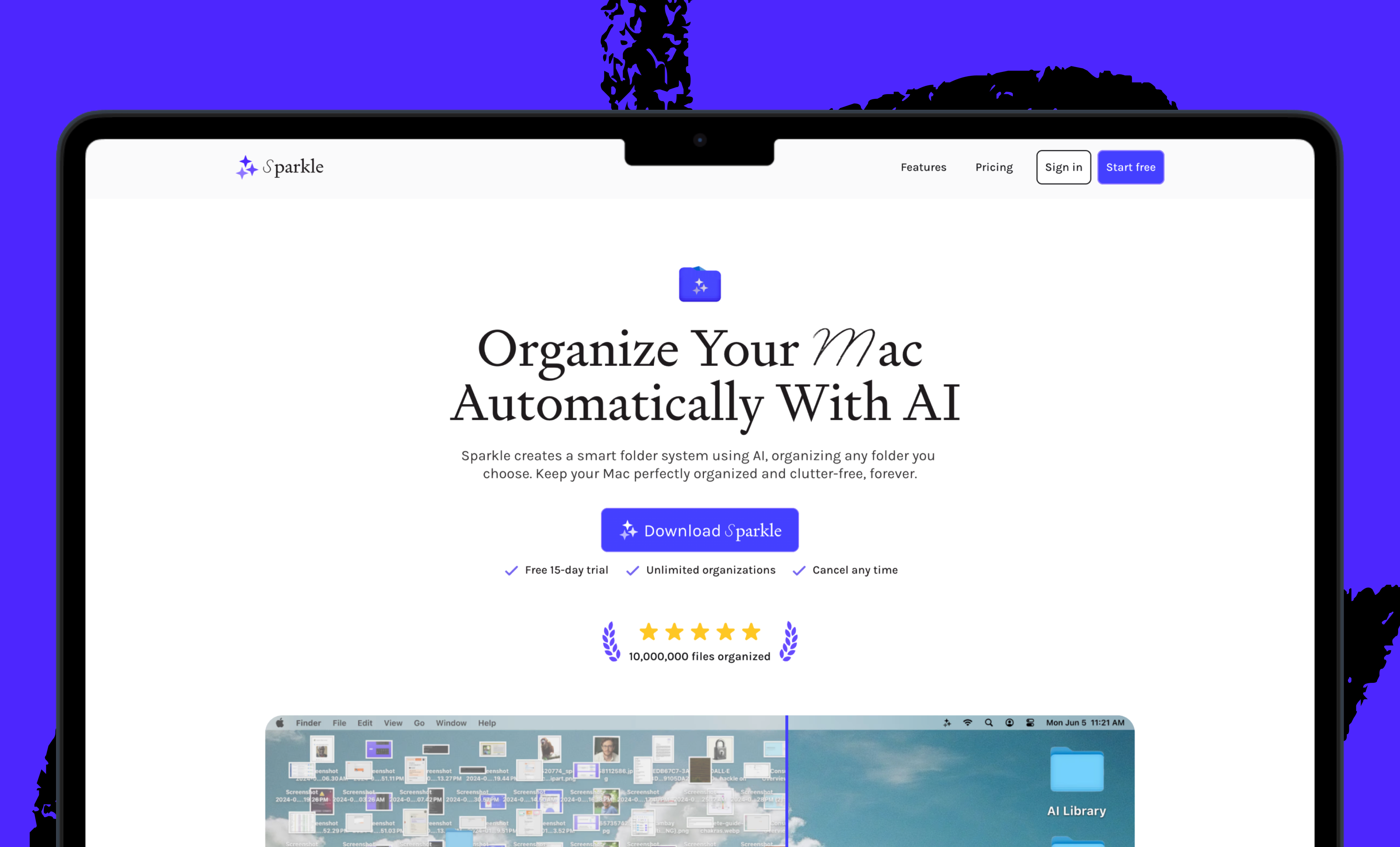
We also build AI tools for readers like you. Automate repeat writing with Spiral. Organize files automatically with Sparkle. Write something great with Lex.
The Only Subscription
You Need to
Stay at the
Edge of AI
The essential toolkit for those shaping the future

"This might be the best value you
can get from an AI subscription."
- Jay S.
 Every Content
 AI&I Podcast
 Monologue
 Cora
Cora
 Sparkle
 Spiral
Join 100,000+ leaders, builders, and innovators

Email address

Already have an account? Sign in
What is included in a subscription?
Daily insights from AI pioneers + early access to powerful AI tools


 Front-row access to the future of AI
 In-depth reviews of new models on release day
Playbooks and guides for putting AI to work
Prompts and use cases for builders
In-depth reviews of new models on release day
Playbooks and guides for putting AI to work
Prompts and use cases for builders
In-depth reviews of new models on release day
Playbooks and guides for putting AI to work
Prompts and use cases for builders
In-depth reviews of new models on release day
Playbooks and guides for putting AI to work
Prompts and use cases for builders
 Bundle of AI software





 Rhea Purohit

 Dan Shipper
.png)
 Reviews of new AI models on release day
Comments
Don't have an account? Sign up!